From the job site to the payslip, in one system.
CoreJob records attendance where the work actually happens, allocates hours to sites and projects, keeps documents and suppliers compliant and prepares the month for your payroll consultant. Every piece of data is entered once, where it originates.
The demo is public: after a quick sign-up, try the administration, the employee app, the project manager area and the supplier portal on a sample company.
One platform, five products that work together.
CoreJob is at the centre: people, attendance, sites and documents. Alongside it, the Core products for invoicing, file storage, signatures and email, already connected to one another.
CoreJob
People, attendance and sites
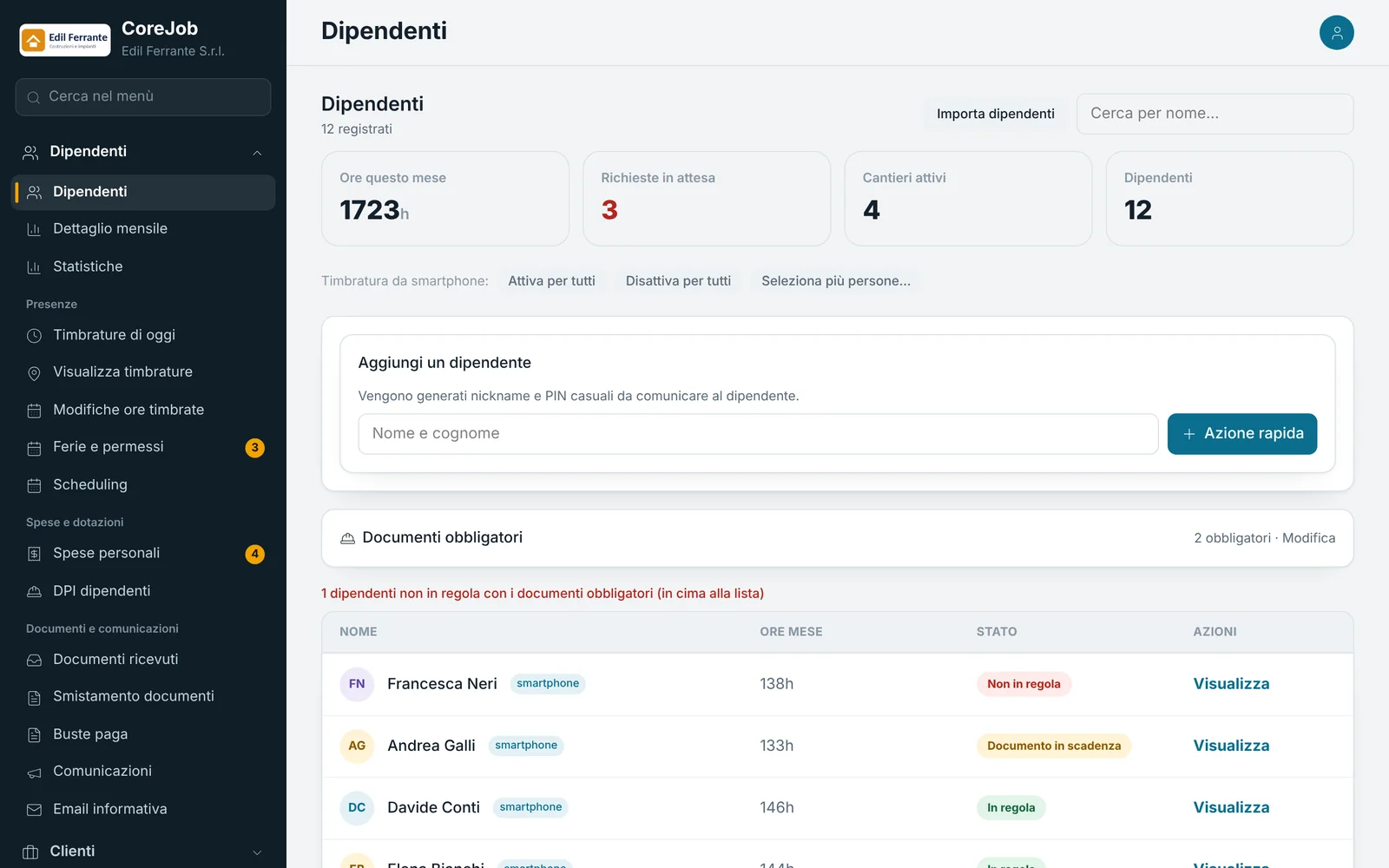
Clock-ins, hours, leave, payslips, sites, projects, documents and suppliers.
Discover CoreJobCoreBill
Electronic invoicing
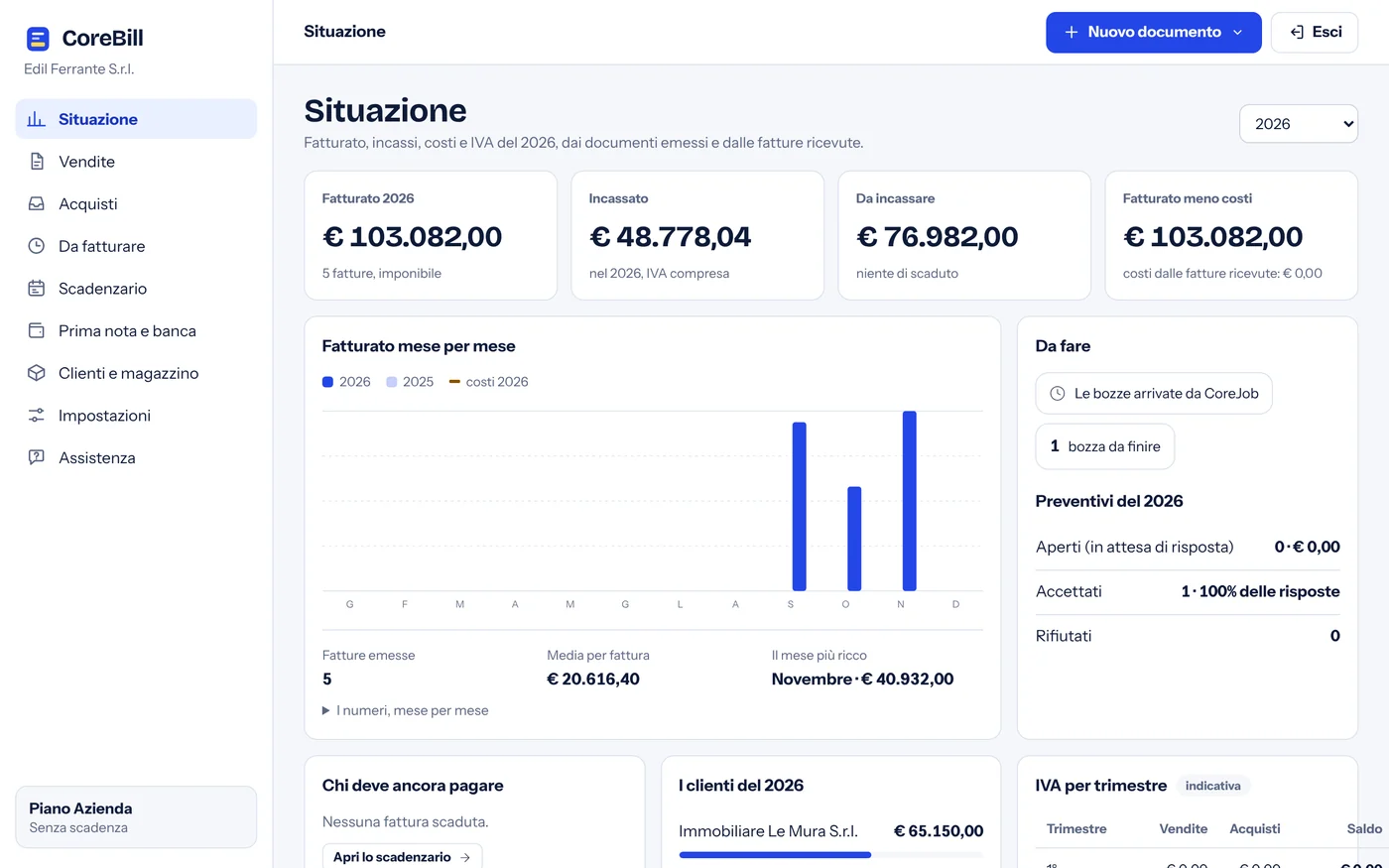
Invoices and quotes, sent and received through Italy's SdI exchange system, payments, bank and accountant.
Discover CoreBillCoreCloud
File archive
Folders for employees, sites and documents, filled automatically by CoreJob and CoreBill.
Discover CoreCloudCoreDocs
Remote signatures
Contracts, quotes and reports signed from a phone or computer, with the signed PDF filed away.
Discover CoreDocsCoreMail
Business email
All the company's mailboxes in one inbox, connected to the archive and to signatures, with campaigns.
Discover CoreMail
Built for teams on job sites, at installations and on the road.
CoreJob was born in companies where teams change location every day and the office needs to know for certain who worked, where, for how many hours and with which documents in order.
Construction
Teams across several sites, subcontractors and safety documentation that is always up to date.
- Clocking in on site, with each site's area drawn on the map
- Hours and costs by site, statements ready for the works supervisor
- Subcontractors' documents collected and checked in the supplier portal
- Fitness for work, certificates and training with expiry dates under control
Building services
Jobs at customers' premises, reports signed on the spot and materials drawn from the warehouse.
- Service reports with hours, materials, photos and the customer's signature
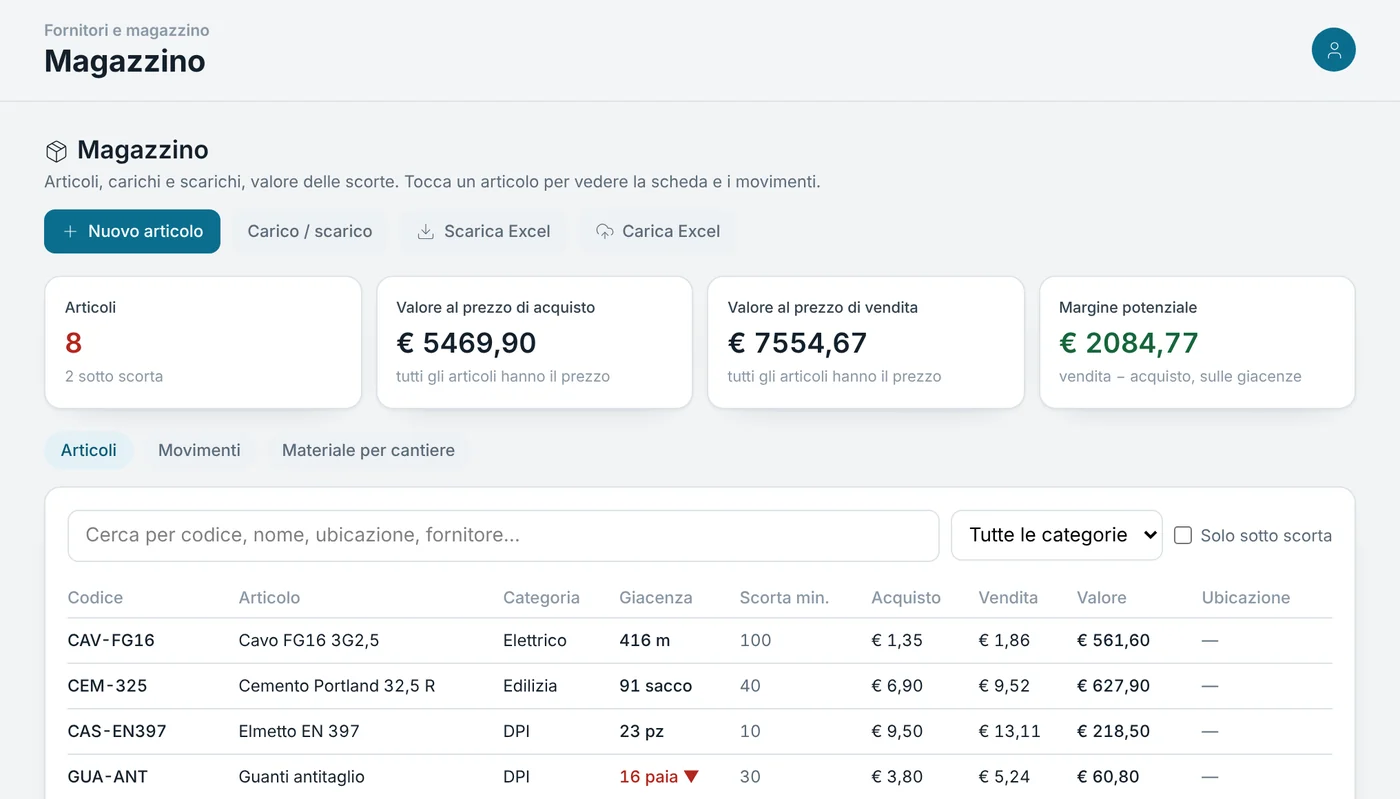
- Warehouse with goods in and goods out to sites
- Work orders to suppliers, accepted through the portal
- Hours worked turned into invoices with CoreBill
Industrial maintenance
Technicians working away in Italy and abroad, with hours and expenses that turn into a statement on their own.
- Trip statements compiled from recorded hours and expenses
- Technical reports with photos, in PDF and Word, on the template your client requires
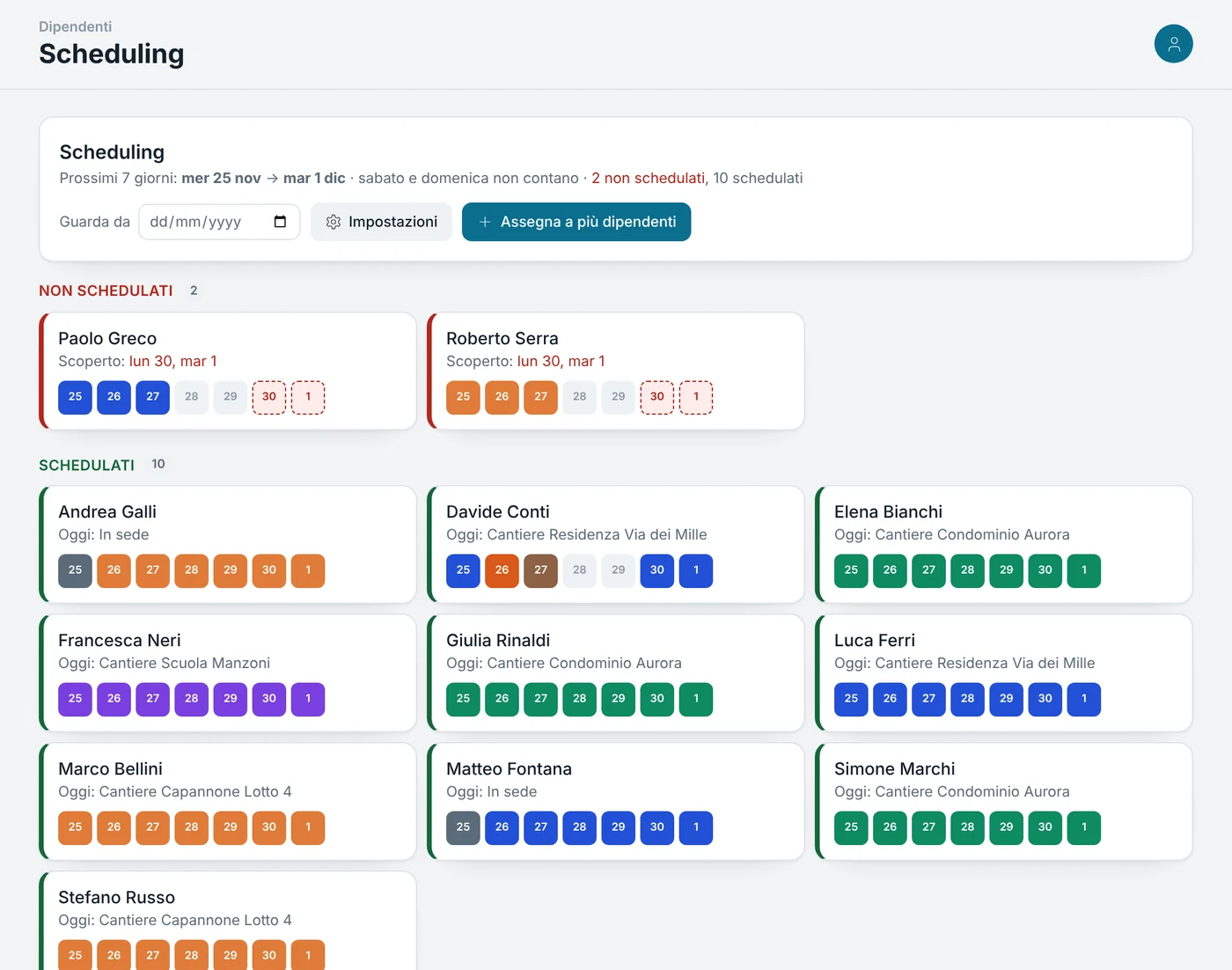
- Team scheduling: who goes where, day by day
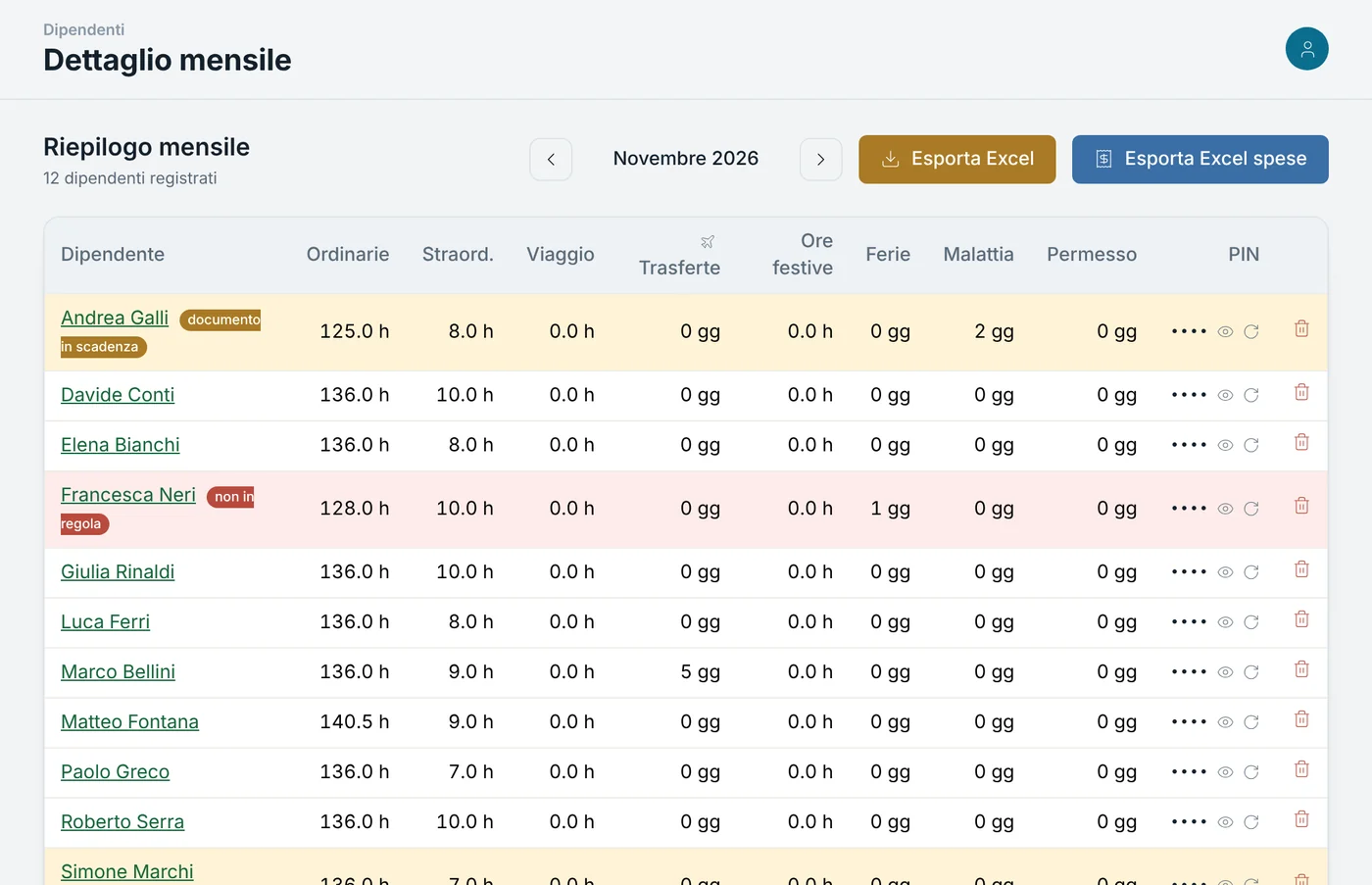
- Expense claims with a photo of the receipt, linked to the trip
Facility services
Several locations and shifts, frequent cover and quick communication with staff.
- Clocking in at every location with the tablet at the entrance or with a badge
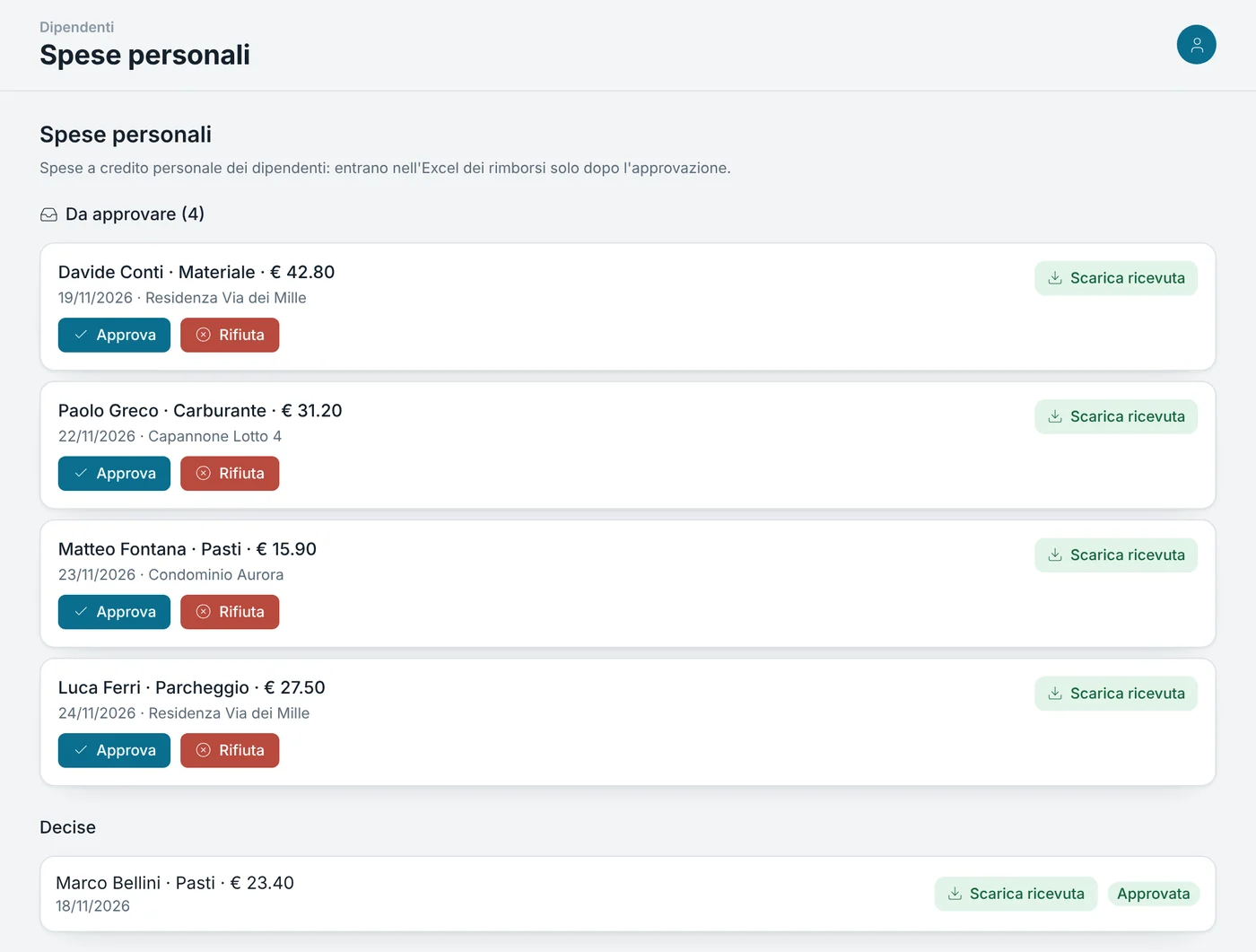
- Leave and time off requested in the app and approved by the office
- Staff announcements with a notification on the phone
- Payslips delivered in the app, each to the right person
From clock-in to payslip, with no manual steps.
Data is entered once, where it originates, and reaches the office already allocated and ready to use.
- AttendanceFace, badge or smartphone; with location turned on, the site is recognised from the position.
- HoursRegular, overtime and holiday hours according to company rules, allocated to a site, trip or project.
- ApprovalsLeave, time off, expenses and corrections reach the office; the outcome goes back to the employee with a notification.
- Payroll consultantAt the end of the month, an Excel file with everyone's hours and absences, ready for payroll.
- PayslipsThe consultant's single PDF splits itself: everyone receives their own payslip in the app.
Attendance
Reliable clock-ins, wherever the work is.
Face recognition on the tablet at the entrance, RFID badge or smartphone: the office chooses the method for each employee. The company's rules on rounding, overtime, Saturdays and public holidays apply automatically.
- Site areas drawn on the map: clocking in from the phone finds the site
- Corrections requested by the employee and approved by the office, item by item
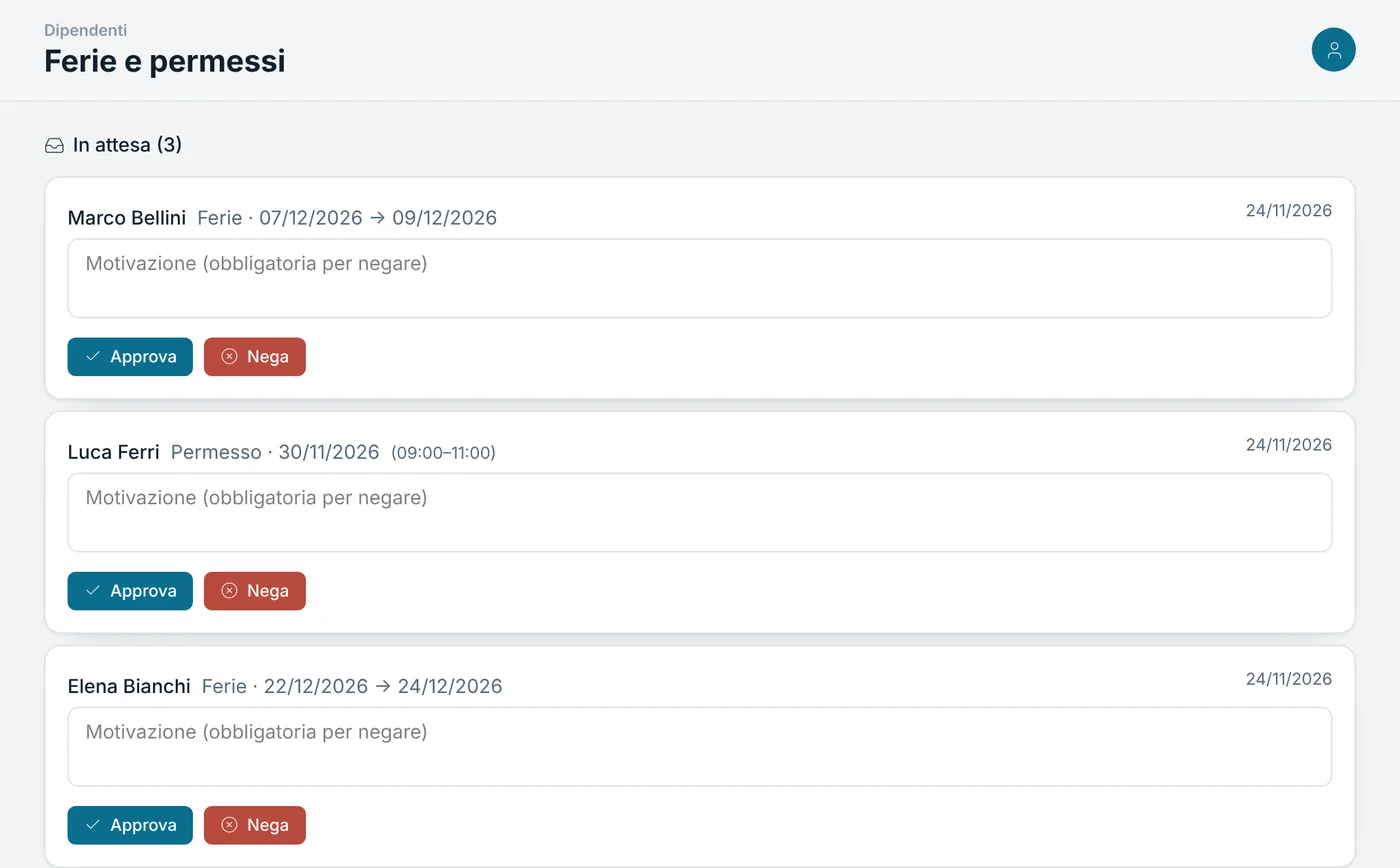
- Who clocked in, at what time and where, in real time
Hours and payroll
The month, ready for the payroll consultant.
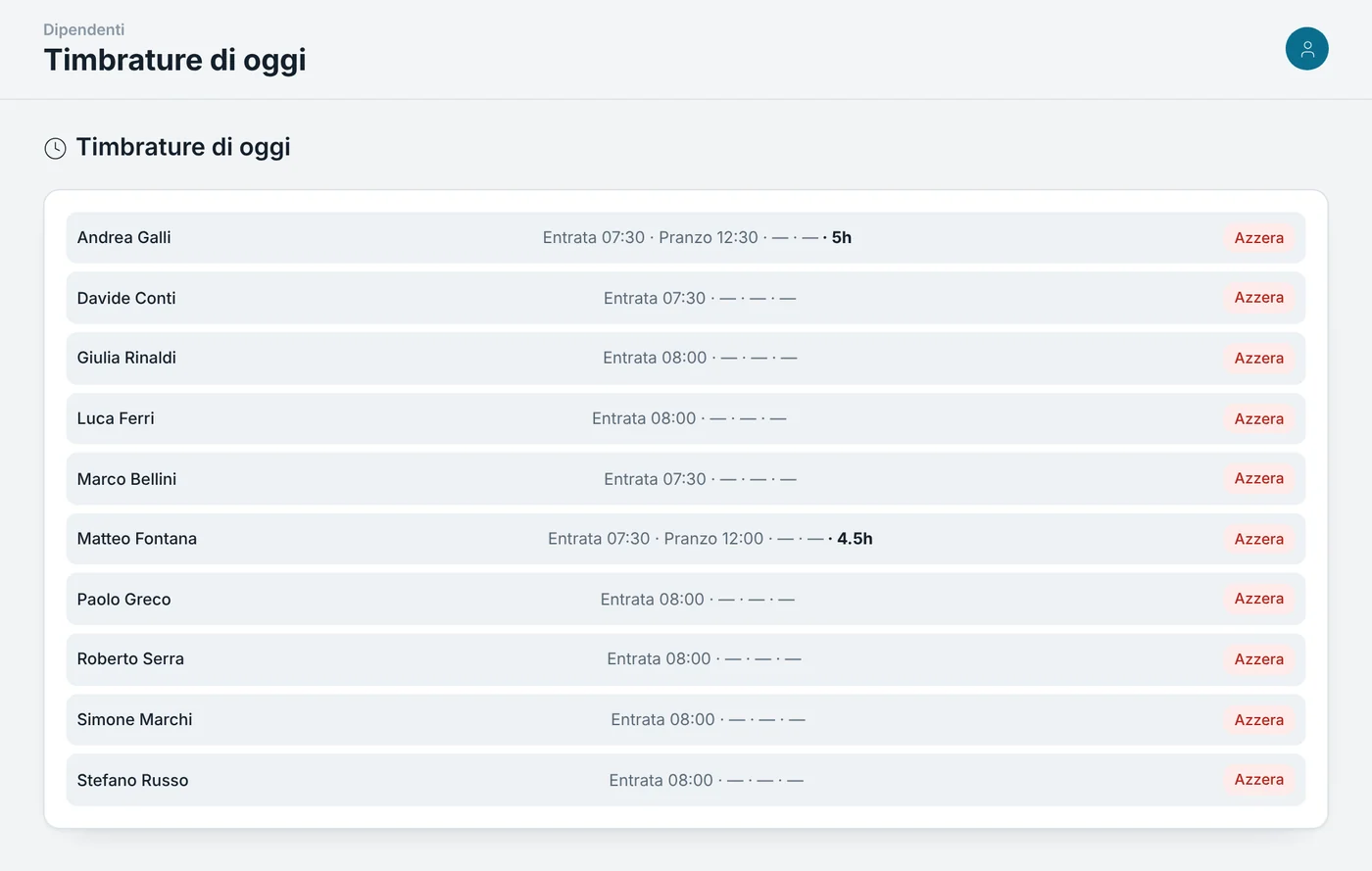
Regular, overtime and holiday hours, annual leave, time off, sick leave and trips for all staff in one table. The Excel summary can also go out by email on its own; the payslip PDF is split and everyone receives their own in the app.
- The monthly detail for all employees, with each person's document status
- Leave and time off with approval and notification
- Each employee's hours report archived every month
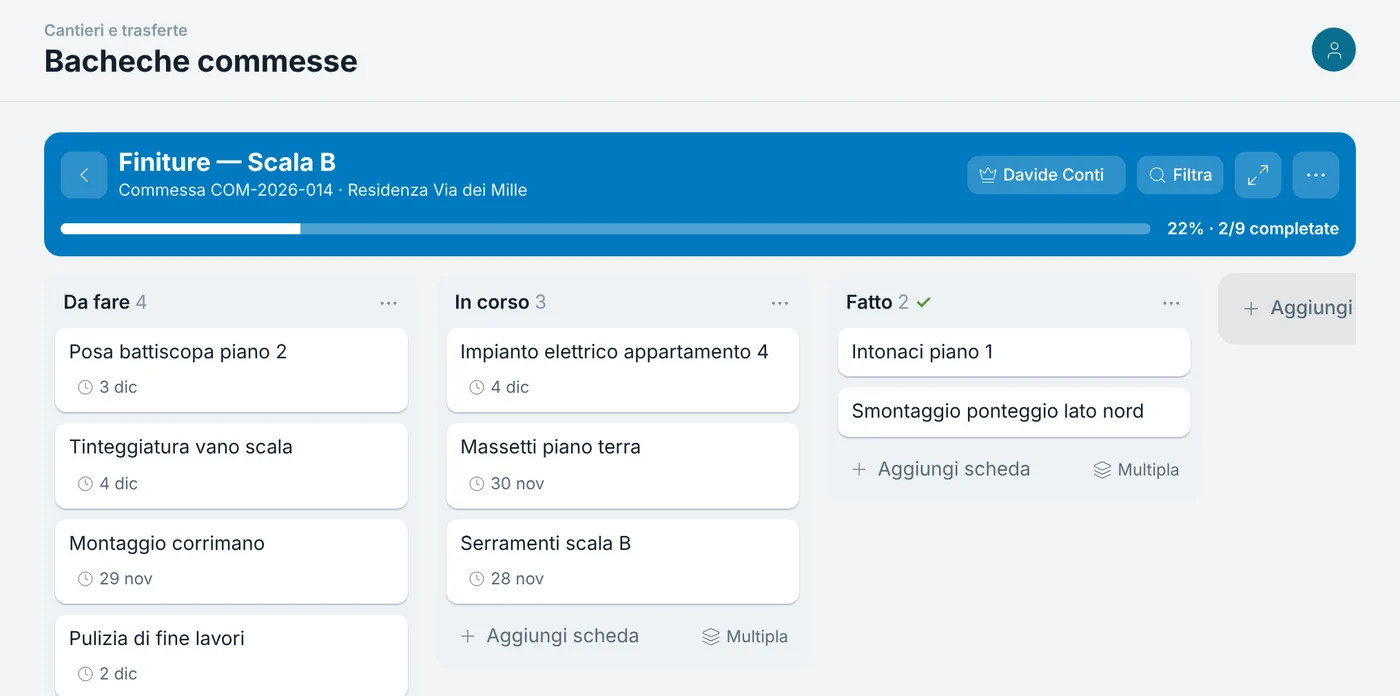
Sites and projects
Hours, expenses and progress for every job.
Sites with hour and expense budgets, project boards with cards and checklists, trip statements built from the hours and expenses recorded, ready to send to the customer.
- A private area for each project manager, with their sites and their team
- Boards that sync with Trello, both ways
- Site diary with photos and attachments
Documents and suppliers
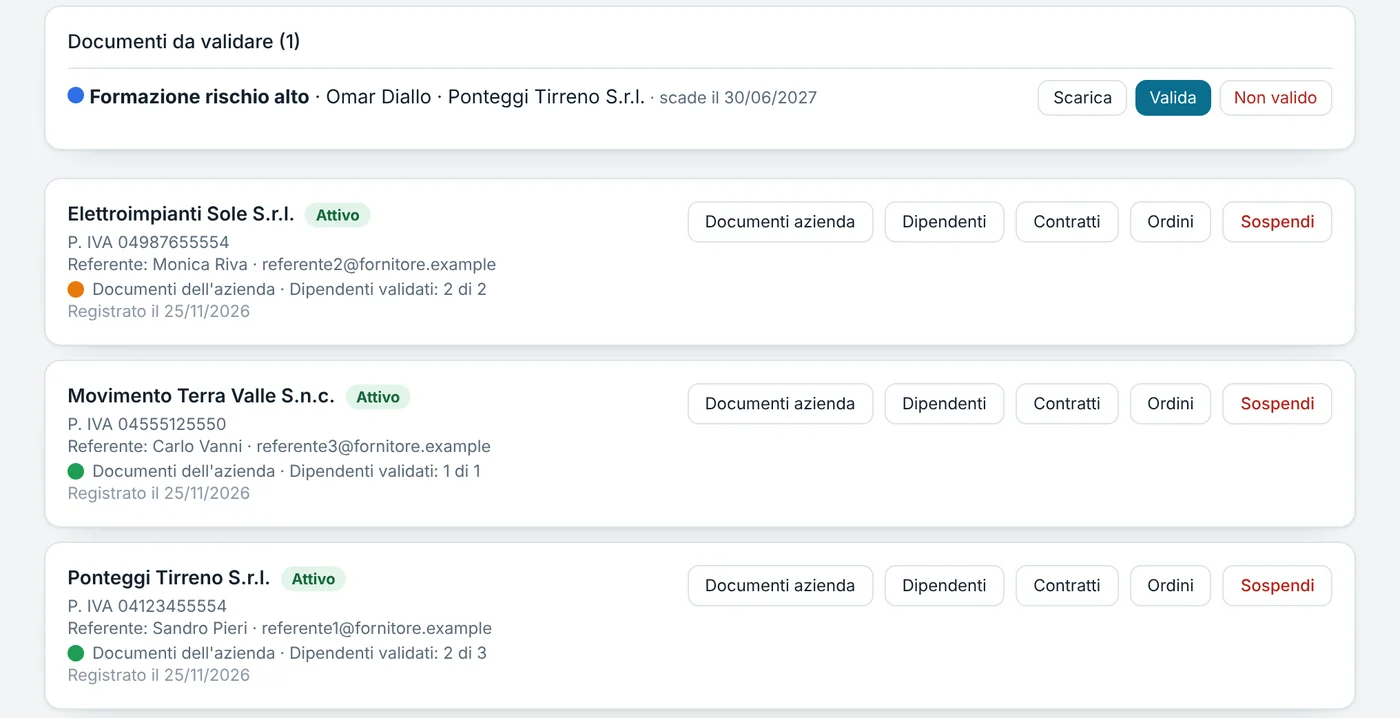
Staff and subcontractors always compliant.
Medical check-ups, certificates and fitness for work, with the status at a glance and alerts before expiry. The supplier portal collects the documents of third-party companies and their workers, submits them for your review and has contracts signed with CoreDocs.
- Mandatory documents set by the company, with anyone not compliant flagged
- Work orders to suppliers, accepted through the portal
- An email to the supplier when a document is about to expire
Employee app
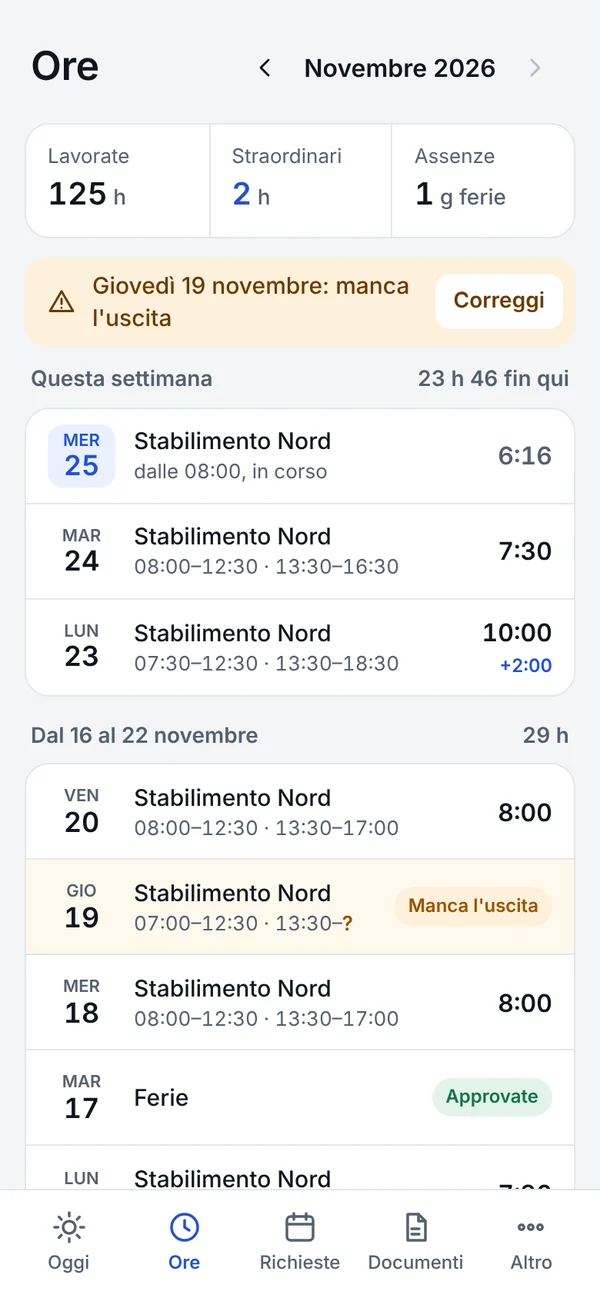
The working day, on one screen.
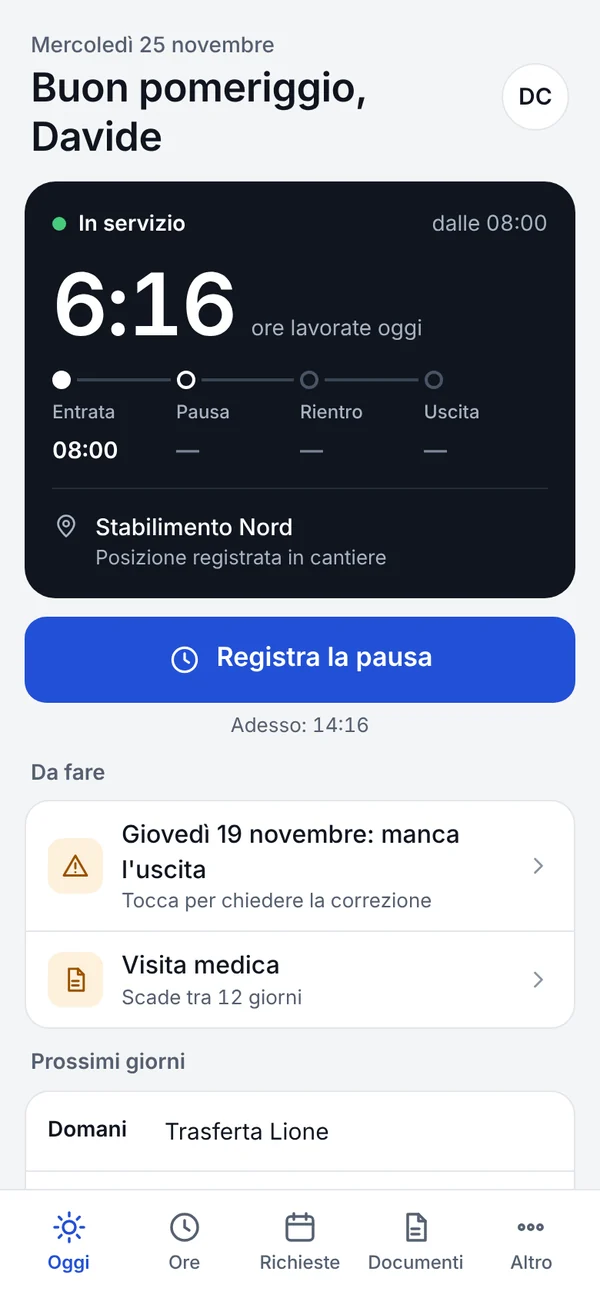
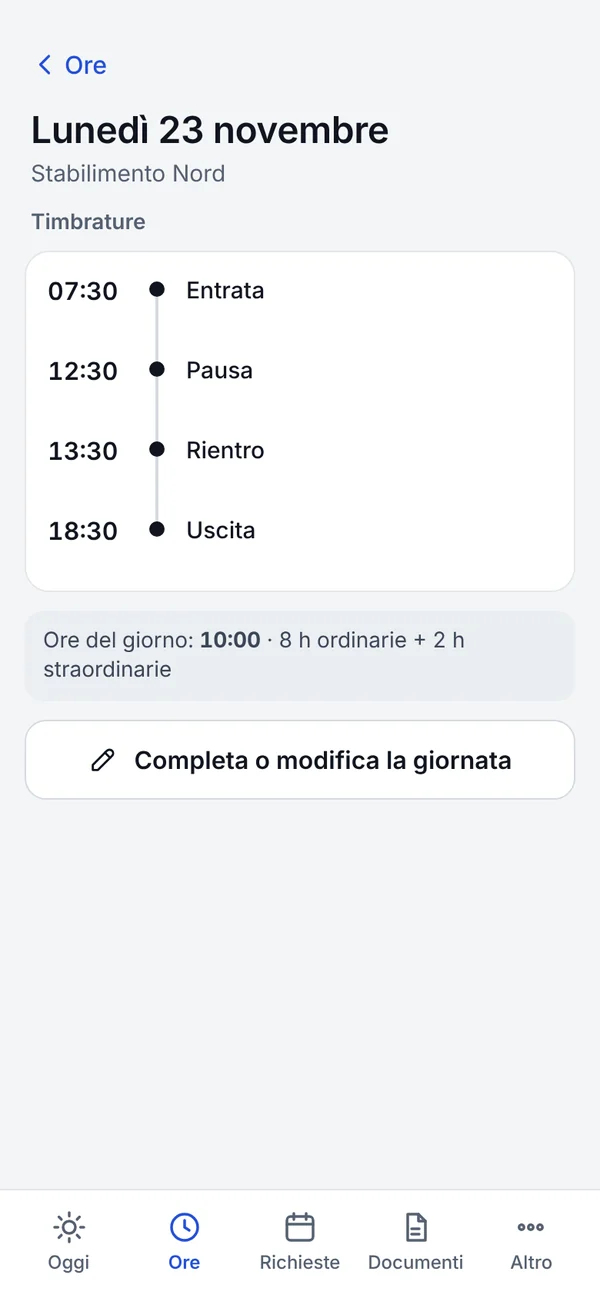
The new app puts the day at the centre: clock in, watch the hours add up, fix a forgotten clock-out, request leave and time off, read documents and payslips. On iPhone and Android, with your company's name and logo.
- Clocking in, with undo for a few seconds if the tap was a mistake
- “To do”: missing clock-outs and expiring documents, fixed with a tap
- The month's hours week by week, with the days to complete highlighted
- Correcting a day, freely or with the office's approval, as you decide
CoreBill
From site hours to the electronic invoice.
Connected to CoreJob, CoreBill turns site hours and statements into draft invoices to check and issue. Invoices go out and come in through the Sistema di Interscambio (SdI), Italy's e-invoicing exchange system; payments, bank and accountant stay in the same place.
- Invoices, quotes, orders, pro formas, delivery notes, credit and debit notes
- Supplier invoices received automatically
- Payment schedule, reminders and automatic recurring documents
- Cash book, bank statement and Ri.Ba. bank collections
- Withholding tax, pension fund contributions, declarations of intent and self-invoices
- Your accountant connected, read-only
Start for free; plans grow with the number of documents and people.
Artificial intelligence, with the switches in your hands.
Three distinct kinds of help, all under your control.
Assistant in the software
On request it reads and updates hours, clock-ins, requests, expenses and documents. Every power has its own switch: you can leave it view-only, and every action is logged.
Monthly alerts
Automatic analysis highlights anomalies in hours and expenses, using only the data you have allowed it to read.
Support at any hour
The chat answers questions about using CoreJob at any time of day and, when that is not enough, opens a ticket with the conversation for our staff.
Some things the assistant never does, whatever the switches: PINs and passwords, advanced settings, face data, badge codes and file contents stay out of its reach.
Everything connected, with no double entry.
The Core products connect with a key and pass data to one another on their own. Externally, CoreJob talks to the services your company already uses.
- Sistema di Interscambio (SdI)
- Bank: statements and Ri.Ba.
- Payroll consultant: monthly Excel
- Accountant: read-only access
- CoreBill: Hours and statements become invoices
- CoreCloud: Reports and payslips in the archive
- CoreDocs: Contracts and reports signed remotely
- CoreMail: Documents and reminders from the company mailbox
- Trello
- Google Maps and OpenStreetMap
- iPhone and Android apps
- Excel: imports and exports
Your data stays in your installation.
One installation per company
Dedicated server, address and database, on your own server or on one we manage: no data is shared with other customers.
Role-based access
Administration, office, project managers, employees and suppliers see only what concerns them, each with their own credentials.
Protected sign-in
Sessions that expire, temporary lockout after repeated failed attempts, a temporary PIN to change at first sign-in and recovery with a code by email.
Tracked interventions
Updates and remote support: every intervention is recorded in a log the company can consult.
How to get started.
From the demo to the first month of recorded hours, with our support at every step.
- Try the demoSign in to the sample company with the different roles and see CoreJob at work.
- Analysis with usTogether we look at your company's teams, sites, documents and working rules.
- Installation and setupWe install CoreJob with your brand and the modules you need; we set up employees, sites and access.
- Guided launchWe train the office, managers and teams; from that day on, attendance is recorded in CoreJob.
Frequently asked questions
Can't find the answer? Write to us at info@corejob.it.
Where is the data stored?
In your installation. CoreJob is installed for each company with its own address and its own database, on your server or on a server we manage. No data is shared with other companies.
Do we need an app from the stores?
No. CoreJob runs in the browser and can be added to the phone's home screen like an app, with notifications. If you prefer, you can have the app on the App Store and Google Play with your company's name and logo.
Can we turn on only some features?
Yes. The modules, from clocking in to the warehouse to the supplier portal, are switched on and off in the configuration; features that are off do not appear in the menus.
How do the hours reach the payroll consultant?
At the end of the month the office downloads the Excel summary with regular, overtime and holiday hours and absences for all staff, or has it sent by email automatically. When the consultant returns the PDF with the payslips, CoreJob splits it and delivers each employee their own.
Are CoreBill, CoreCloud, CoreDocs and CoreMail required?
No. CoreJob works on its own. CoreBill adds electronic invoicing, CoreCloud file storage, CoreDocs remote signatures and CoreMail email: they connect when you need them.
What is needed for face recognition?
A tablet or a computer with a camera at the entrance, connected to the internet. Each employee registers their face once; the system keeps only the numerical data needed for matching, not the photos.
Are there limits on the number of employees or sites?
The software sets no limits: the server is sized to the number of employees, sites and documents to be stored.
Can we use our own logo and colours?
Yes. Logo, app name, colours, style and menu layout are set in the configuration, including for the supplier portal and for the app published on the stores.
See CoreJob at work.
Explore the demo with the data of a sample company, or book a presentation built around your own business.