Employee app
The working day, on one screen.
The new app puts the day at the centre: clock in, watch the hours add up, fix a forgotten clock-out, request leave and time off, read documents and payslips. It works on phones and computers, with your company's name and logo.
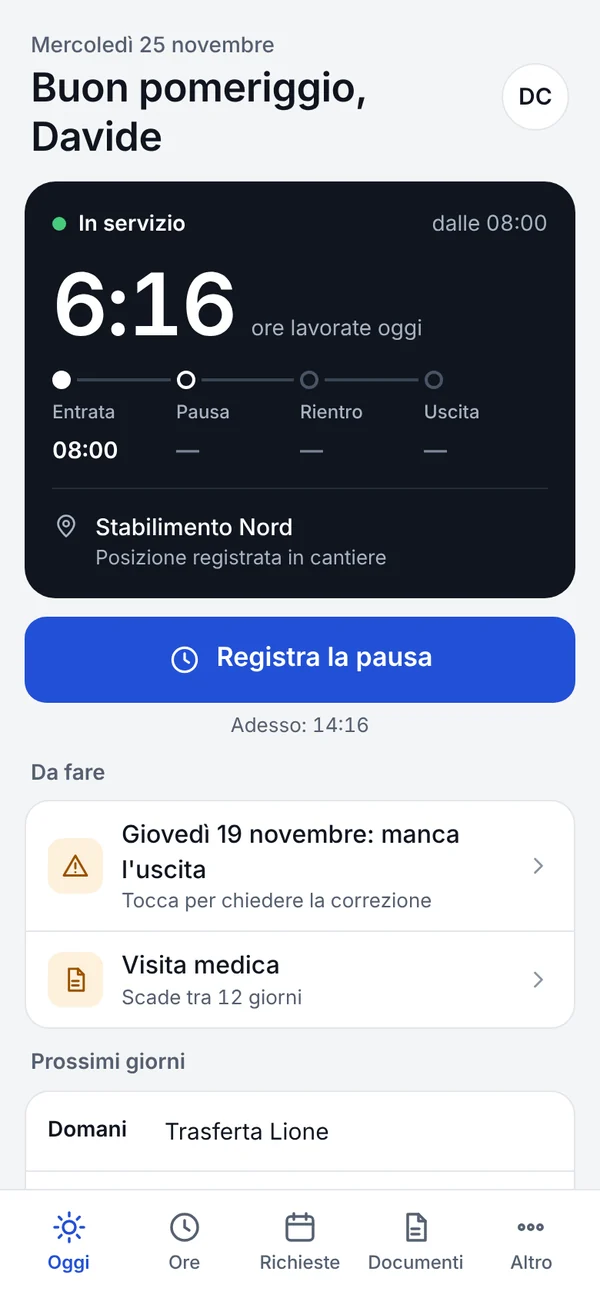
Today
Open it and clock in.
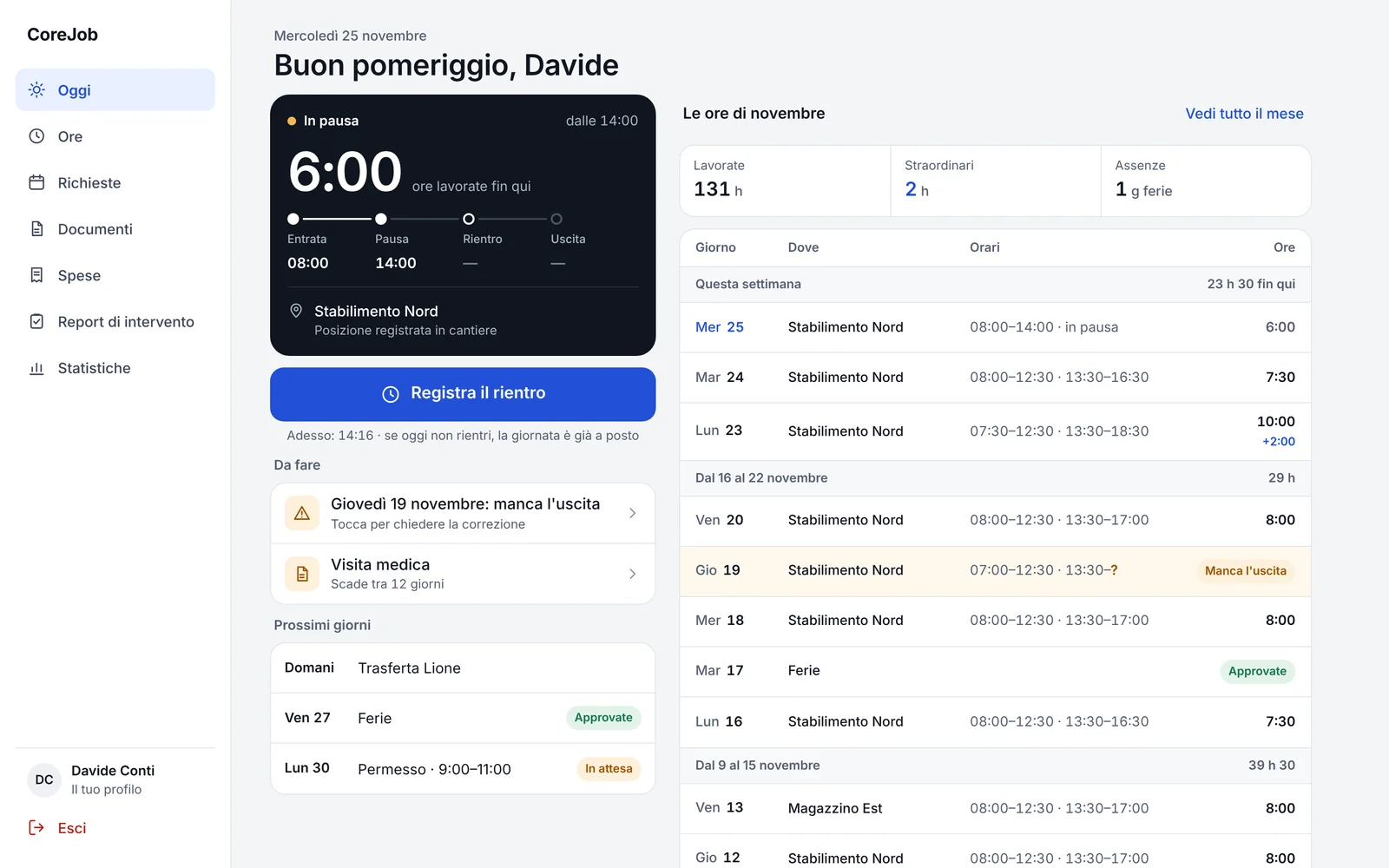
The first screen is the day: the button for the next clock-in, the hours worked ticking by, the clock-in, break, return and clock-out steps, and the site recognised from the position.
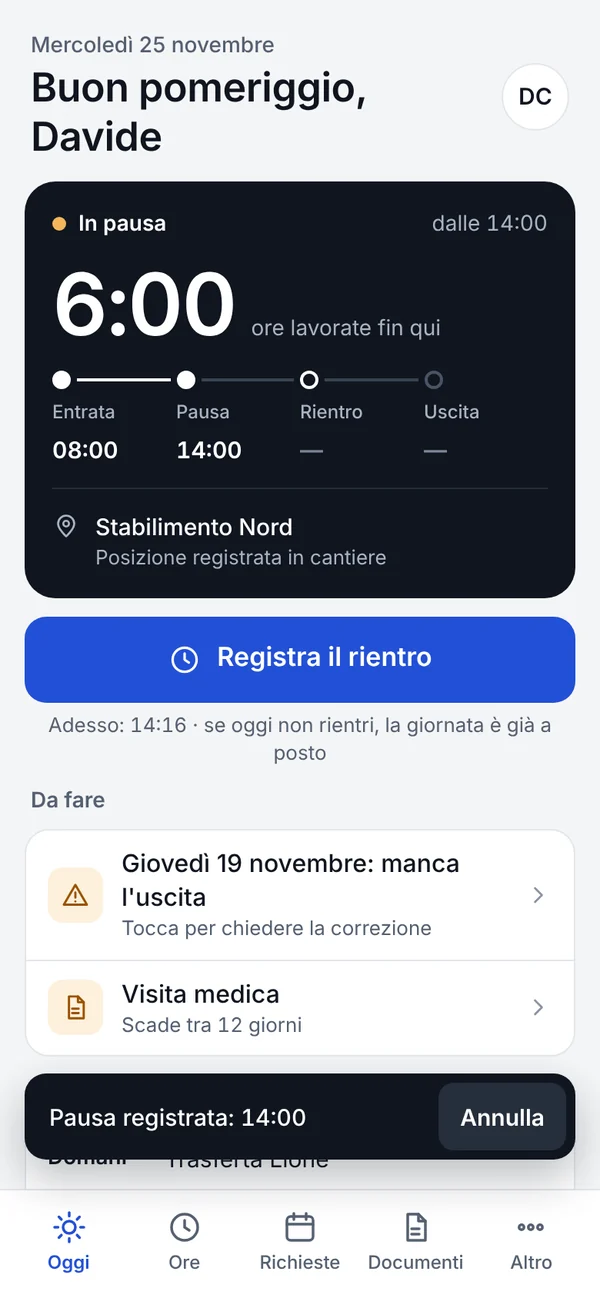
- A wrong tap can be undone within a few seconds, and the day goes back to how it was
- “To do”: missing clock-outs and expiring documents, fixed with a tap
- “Coming days”: trips, leave and time off already decided
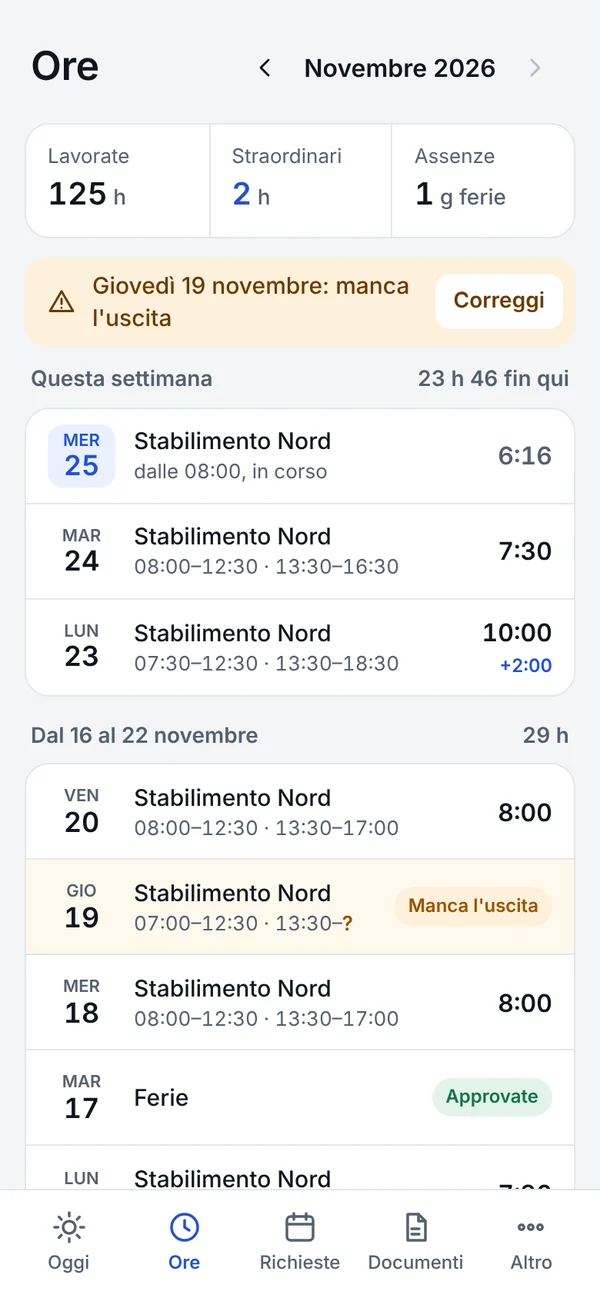
Hours
The month, week by week.
The month's hours worked, overtime and absences at the top; below, the days grouped by week, with the place, the times and the total for each day.
- Days with a missing clock-out are highlighted
- Leave and time off with their status: approved or pending
- The previous month and the following ones at your fingertips
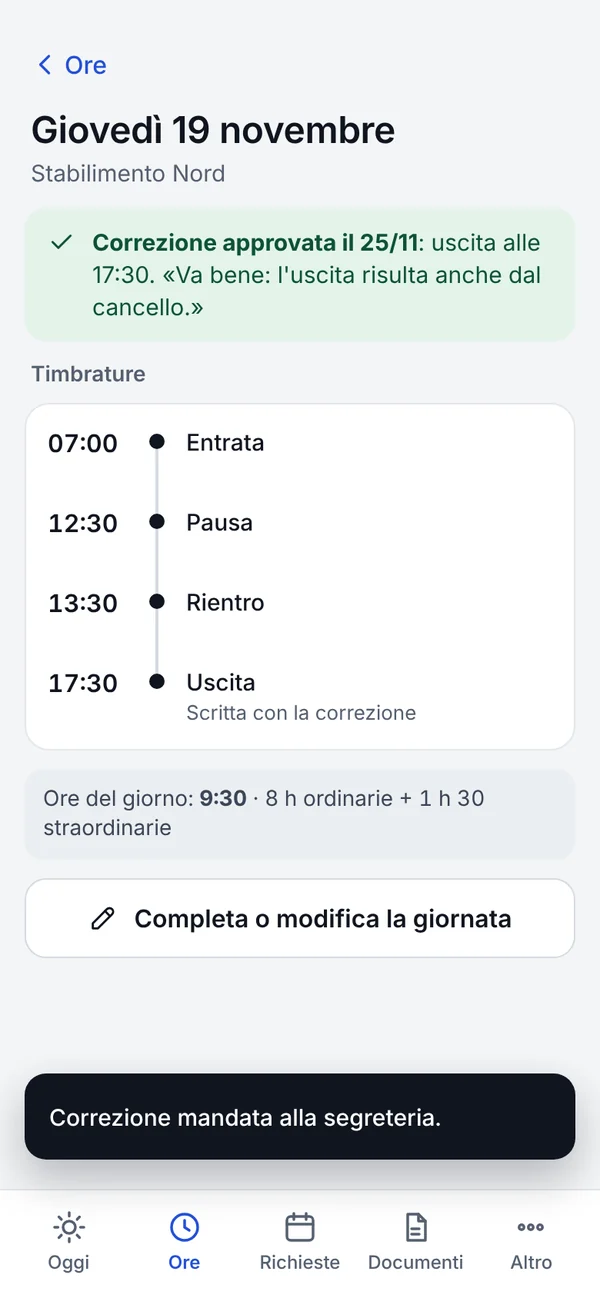
The day
A day to fix, in two taps.
Tapping a day shows the clock-ins and the hours calculated. If a time is missing, the employee requests a correction; the company decides how to handle it.
- Free correction: it applies immediately
- With the office's approval: it arrives as a request, with an email to the company, and the outcome comes back with a notification
- Locked: clocked days cannot be changed
For those who don't clock in, too.
People who keep their hours by hand enter them in the same app, day by day.
Site and project
The day allocated to the site and the project, even split across several projects.
Trips
The hours of the trip, which flow into its statement.
Time off for a few hours
A partial absence on the same day, with the remaining hours still counted as worked.
Times or totals
The four times of the day with automatic calculation, or the totals directly.
Everything else, in the same place.
Leave and time off
Requested in the app, with the outcome notified.
Documents and payslips
Check-ups, certificates and payslips, always available, with their expiry dates.
Expenses
The receipt photographed with the scanner, linked to the day's trip.
Announcements
The company's announcements, with a notification.
Project boards
The cards assigned to you, to complete even with a finger.
Your profile
The employee's details, PIN and preferences.
Phone and computer
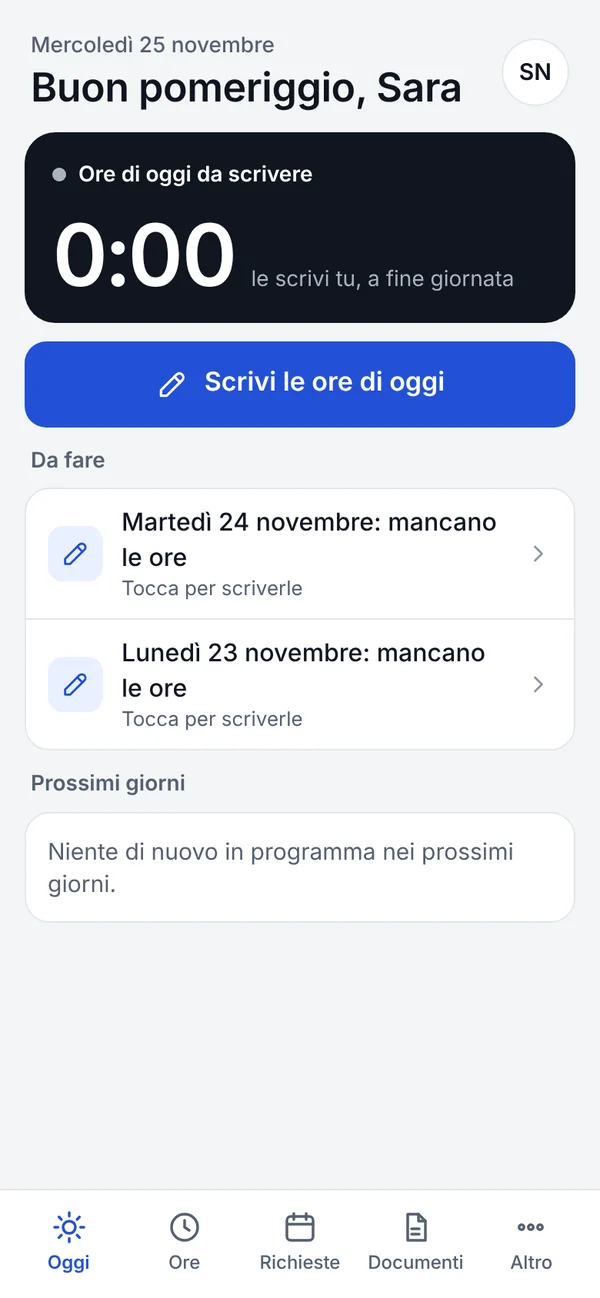
A bar at the bottom on the phone, a side menu on the computer.
The same app adapts to the screen: on a computer the day and the table of the month's hours sit side by side; on a phone you move between sections with the bar at the bottom.
- Chosen in the advanced configuration: the “New” interface
- Apps already installed keep working with the interface chosen before
Your company's app, with your name on it.
CoreJob can be published on the App Store and Google Play as an app dedicated to your company. Alternatively it is used from the phone's browser, added to the home screen, with the same features.
- Your company's name, logo and splash screen
- Push notifications for approvals, announcements and payslips
- A personal PIN, temporary at first sign-in and recoverable by email
- Four interfaces to choose from: the new one, the classic one, “Today” and “Month”
See CoreJob at work.
Explore the demo with the data of a sample company, or book a presentation built around your own business.