CoreCloud
The company's file archive, already organised.
CoreCloud is where your business documents live. With CoreJob connected it fills itself: reports, receipts, documents and payslips end up in the right folder. Workspaces let the team share the same files with the right permissions, and the apps keep them in sync on computers and smartphones.
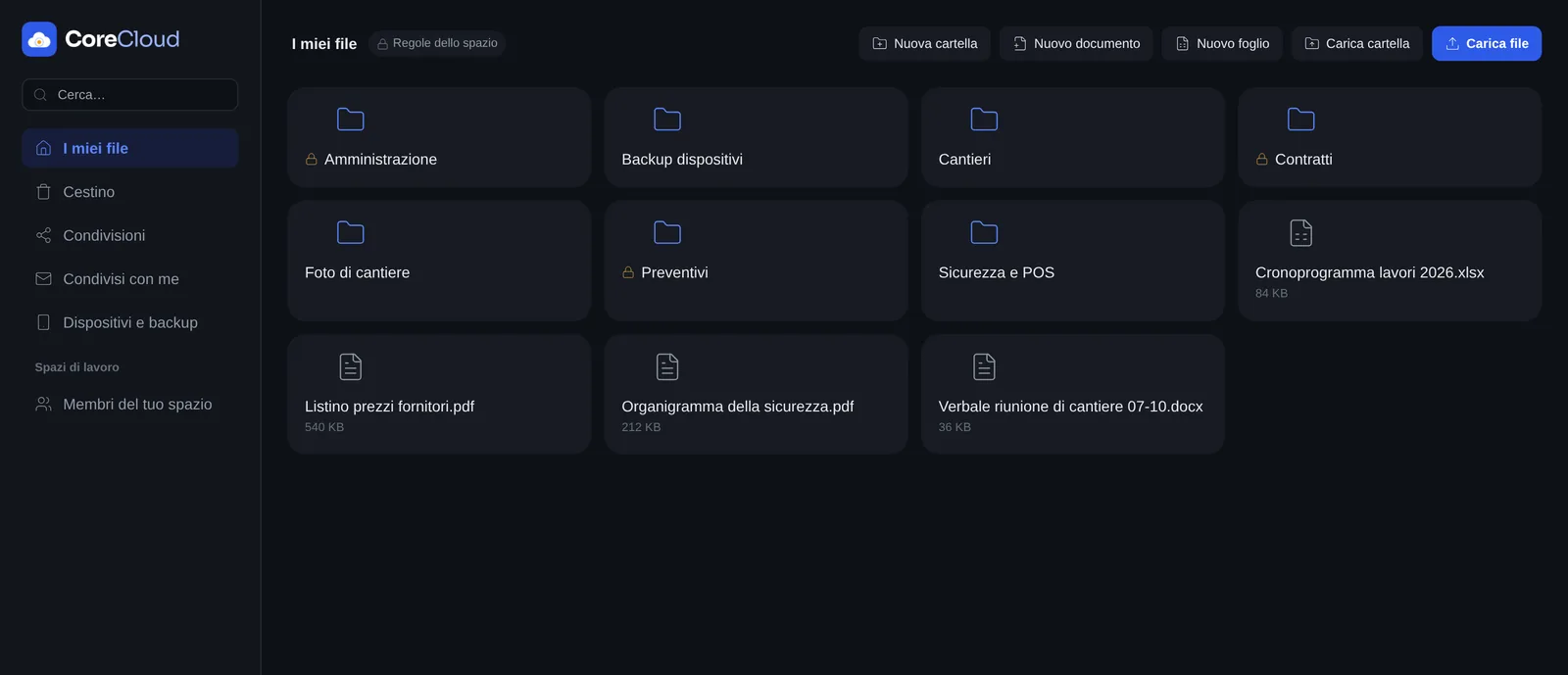
A folder for every employee and every site.
When CoreJob is connected, the structure is created and kept up to date on its own.
Hours reports
Each employee's monthly hours report, updated if the hours are corrected.
Technical reports
Service reports, including those signed by the customer.
Expense receipts
Approved receipts and supporting documents, by employee and by site.
Documents and payslips
Check-ups, certificates, documents uploaded in CoreJob and payslips delivered.
Sites and project managers
Diary, documents and reports for every site; reports and documents for every project manager.
CoreBill documents
Invoices issued and received, filed by year.
Workspaces
One space for the whole team, with the right permissions.
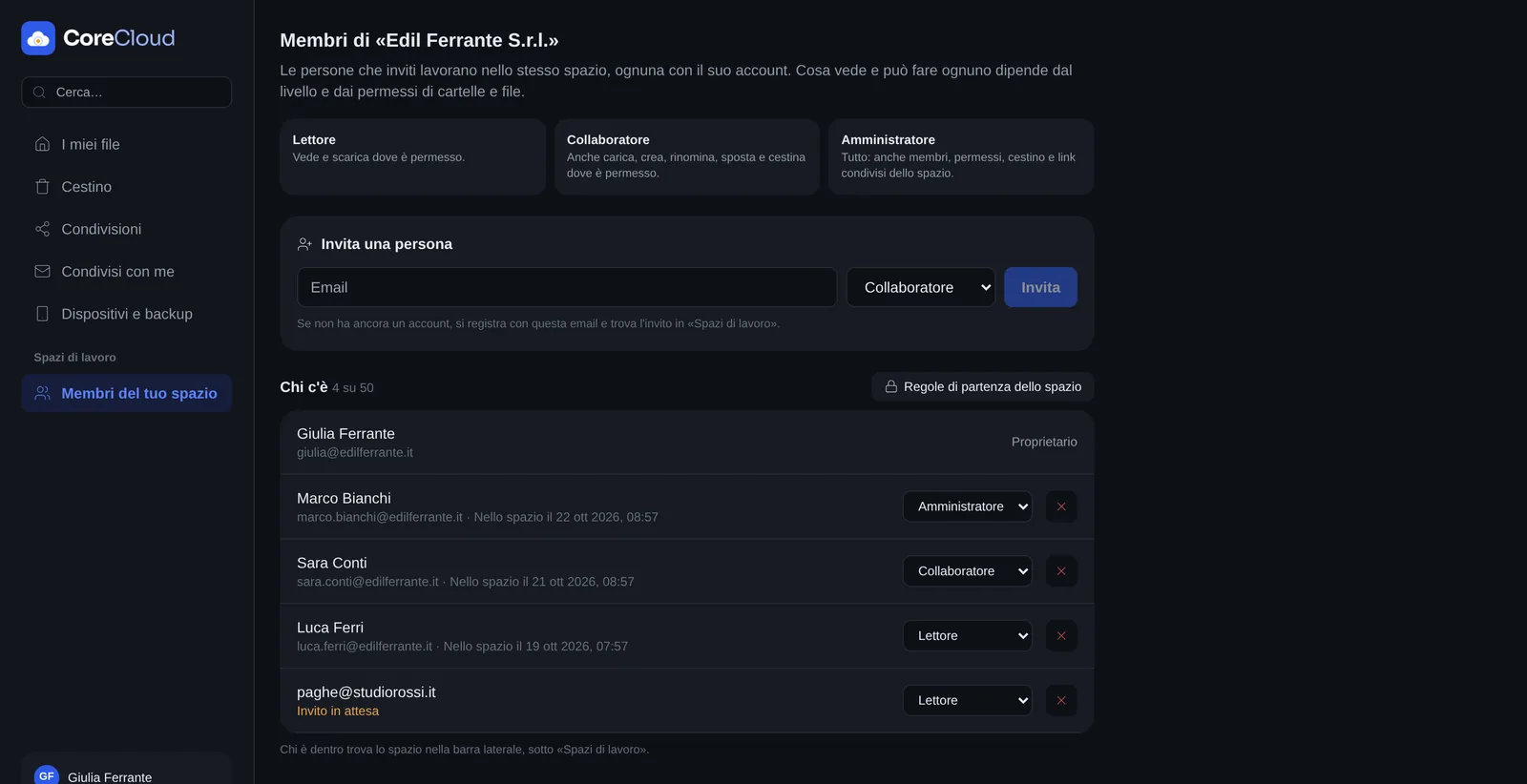
A Business account is the company's workspace: the owner invites people and decides, folder by folder, who can view, who can download and who can edit.
- Three levels: viewer, contributor and administrator
- Permissions by folder and by file: people without access cannot find the content, not even by searching
- Invitations by email; personal files stay separate
Documents and spreadsheets, in the browser.
Document editor
Texts written and edited without downloading them, with headings, lists, colours and highlighter; they export to Word.
Spreadsheets
Sheets with formulas, formatting and colours; they open and export in Excel.
Controlled sharing
Open links, links protected by a password or reserved for named people; read-only or editable, with an expiry date.
Quick organisation
Files and folders dragged from the computer, multiple selection, recycle bin and zip downloads, even password-protected.
Apps for computers and smartphones
Files on your computer and smartphone, always in sync.
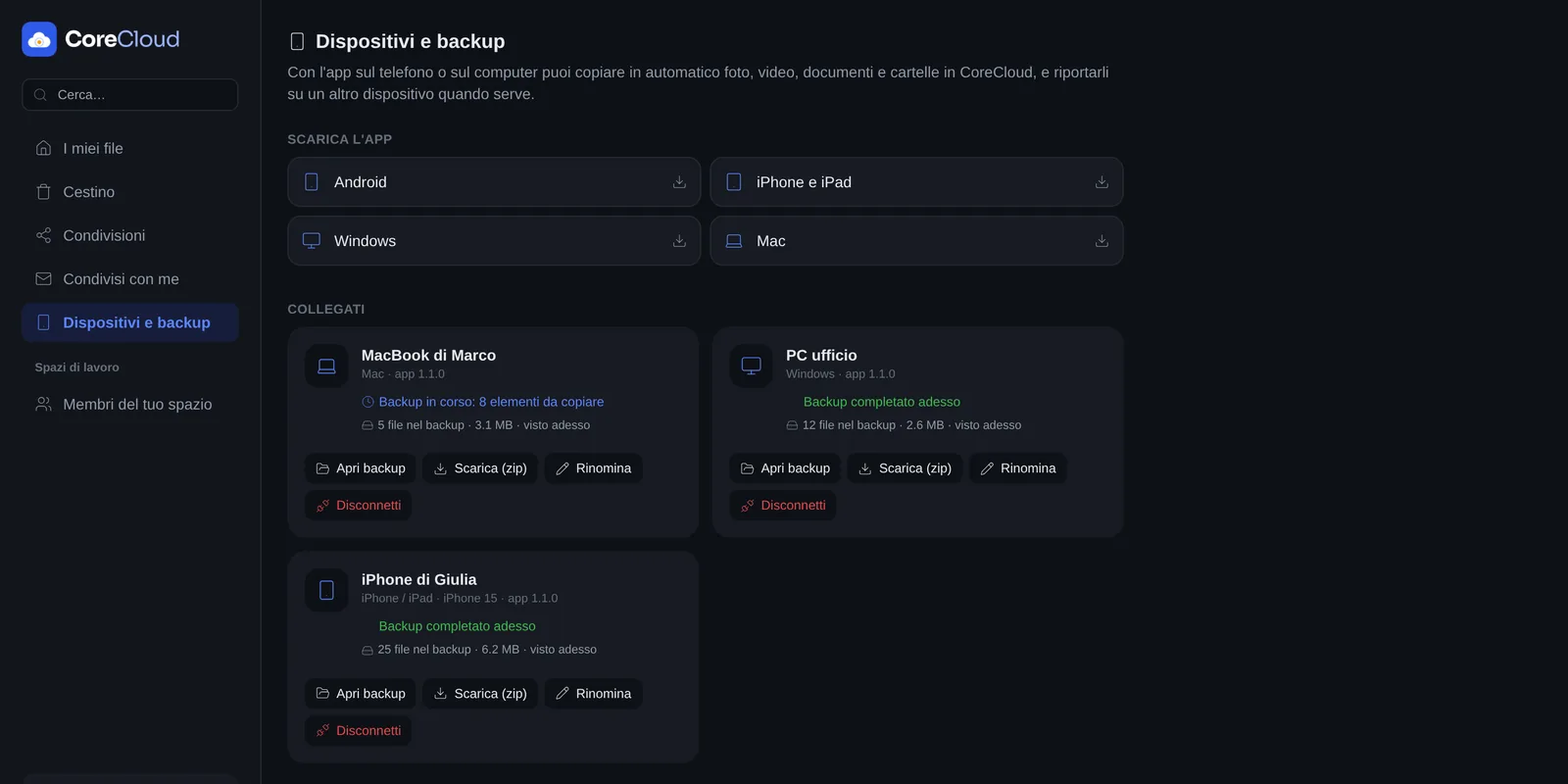
The CoreCloud apps for Windows, Mac, iPhone and Android keep files identical everywhere and copy what matters on their own.
- A folder synced both ways; if a file changes on both sides, both versions are kept
- Backup of computers and smartphones: documents, photos, videos and contacts
- Restore onto a new device
- Connected devices under control: a lost one is disconnected remotely
One account for CoreCloud, CoreDocs and CoreMail.
Single sign-in
With the same credentials you sign in to CoreCloud, CoreDocs and CoreMail, moving from one to another without signing in again.
Two-step verification
After the password, a code by SMS, on the websites and in the apps; backup codes, and devices remembered for 30 days.
CoreJob backup
CoreJob's database and files saved regularly in CoreCloud, with an integrity check for restoring.
Signed documents
Documents sent and signed with CoreDocs are copied to CoreCloud, into your folders, filed by date.
Email and attachments
From CoreMail, attachments and messages are saved to CoreCloud and files from the archive are attached; files that are too large go out as links that expire.
Your brand
Custom logo, icon, colour and sign-in page; interface in Italian, English and Spanish.
Bring your company's files into CoreCloud.
We show you CoreCloud on your own cases, on its own or connected to CoreJob, CoreDocs and CoreMail.