Supplier portal
Subcontractors upload the documents. You validate them.
A dedicated section of your CoreJob, with your brand, where third-party companies manage workers, company documents, contracts and work orders. You see at a glance who is cleared to enter the site.
From registration to the site, in six steps.
- The company registersCompany name, verified VAT number, contact person, email and password.
- The office approvesOr rejects the request, giving the reason; approval can also be switched off.
- Workers and documentsFor each worker, the required documents, with an expiry date or permanent validity.
- The office validatesEach document stays “to be validated” until it is validated or marked as not valid.
- Contracts are signedDownloaded, signed and uploaded again, or signed online with CoreDocs.
- Orders arriveThe work order arrives as a PDF by email and the supplier accepts it in the portal.
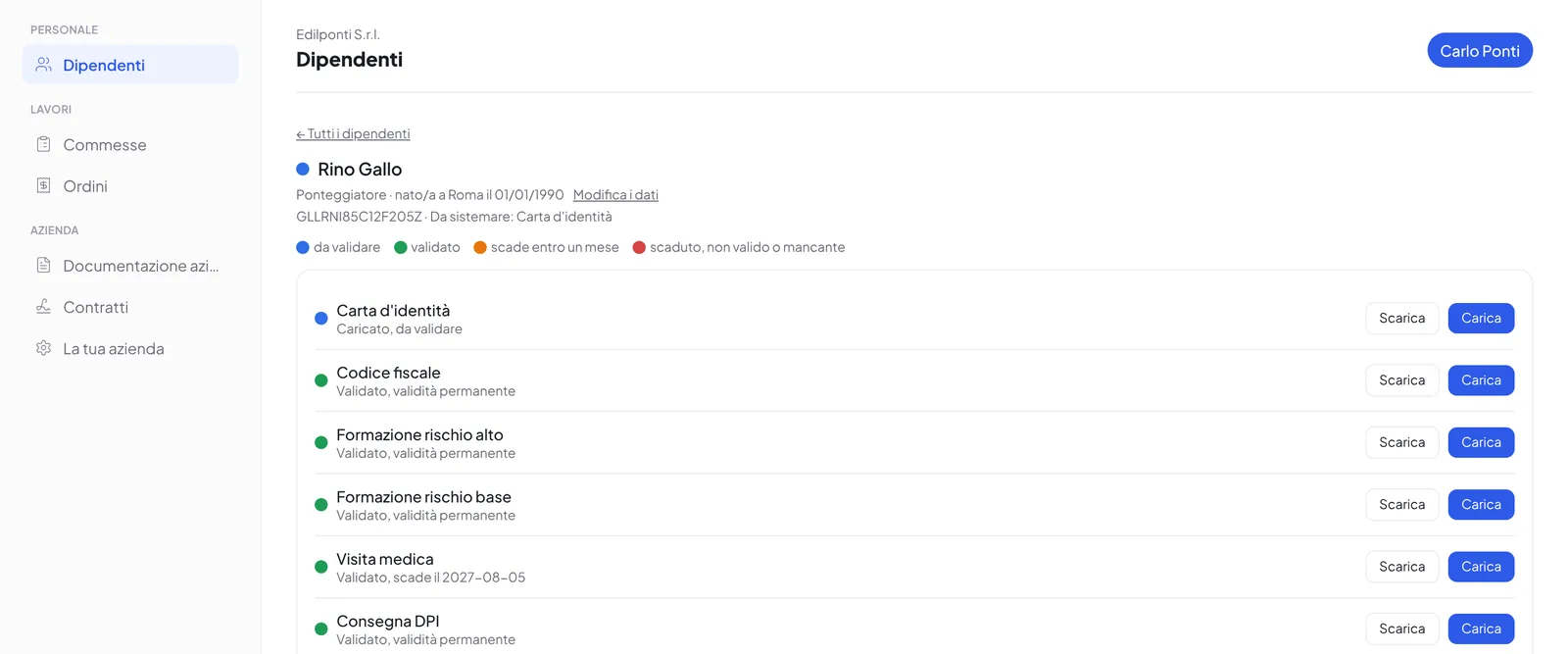
Suppliers' workers
A worker is compliant only when everything is validated.
The supplier enters first name, surname, tax code, date and place of birth and job role, then uploads the required documents.
- Mandatory by default: identity card, tax code, high-risk and basic safety training, medical check-up, PPE handover
- Other documents, such as the forklift or aerial work platform licence, mandatory or optional as you choose
- An expiry date entered by the supplier, or permanent validity
- The worker's status is that of the worst of their mandatory documents
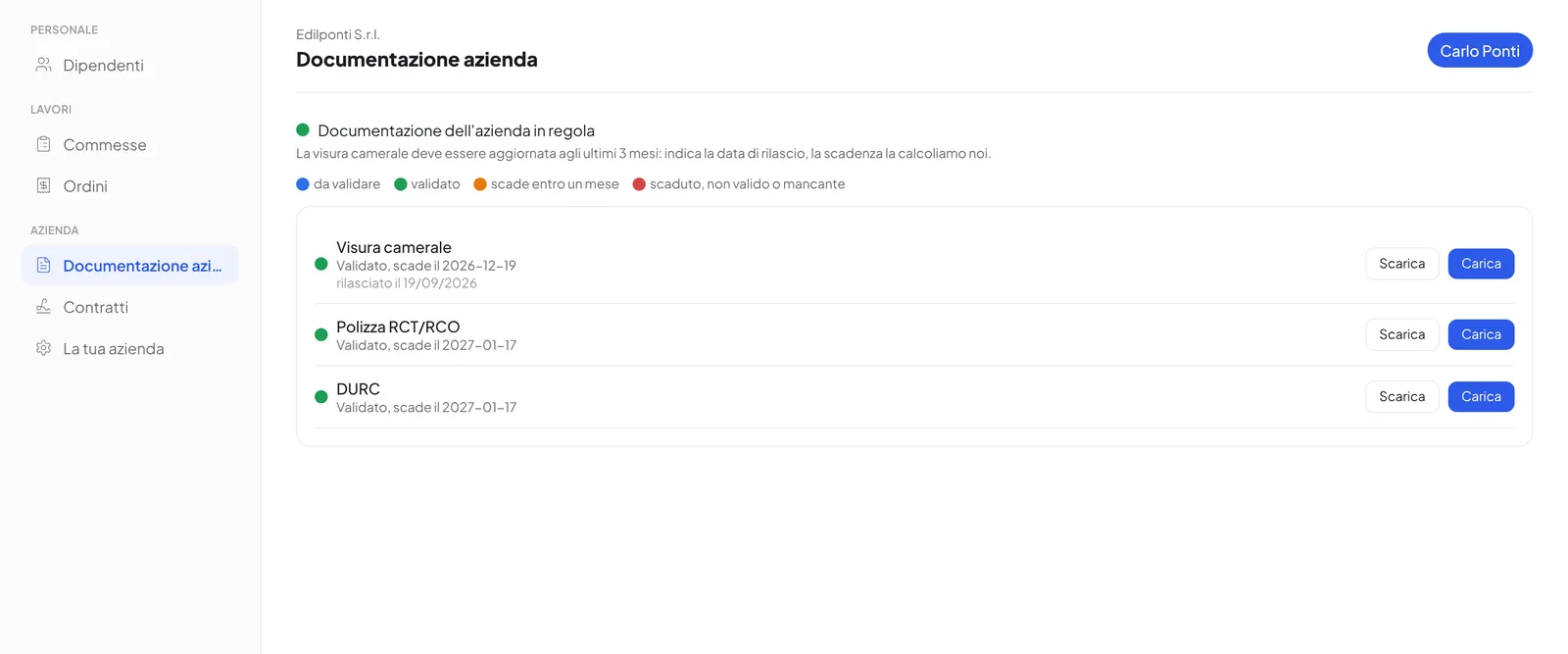
Company extract, insurance and DURC, always up to date.
Chamber of Commerce extract
The supplier enters the issue date and the expiry date is calculated on its own, at three months. An older extract is rejected straight away.
RCT/RCO insurance and DURC
Liability insurance and the Italian social security compliance certificate, with their expiry dates, the same indicators and the same validation as the workers' documents.
Full company details
Registered and operating address, certified email (PEC), SDI code, REA, ATECO, CCNL, INPS, INAIL, Cassa Edile, RSPP, occupational physician, RLS, supervisor, IBAN.
Custom items
Other documents required from the company, also with a validity of a set number of months from the issue date.
Send the contract, get it back signed.
Handwritten signature
The supplier downloads the contract, signs it, stamps it and uploads it again; you receive an email.
Online signature
With CoreDocs connected, the contact person presses “Sign now” in the portal or uses the link received by email.
Archive
Contracts to sign and signed contracts always available, to you and to the supplier.
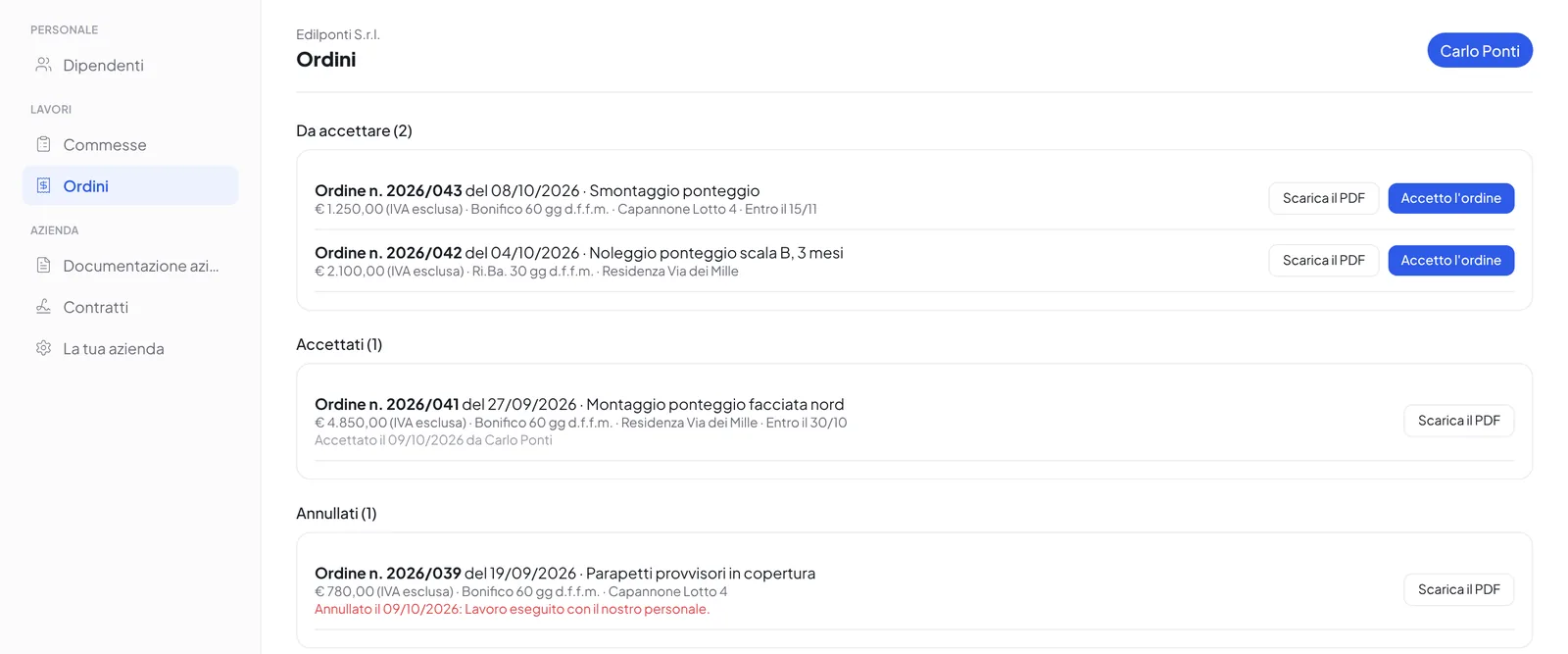
The order starts from the dashboard. The supplier accepts it online.
Issued in a minute
Supplier, suggested number, subject, amount, VAT and payment terms, pre-filled with those used last time.
PDF on letterhead
The supplier receives the order as a PDF by email and finds it again in their own portal.
Accepted with one click
The supplier accepts it in the portal: you receive an email and the order moves to “Accepted”, with author and date.
Changes and cancellations
Until it is accepted, the order can be corrected and the supplier receives the updated version; it is cancelled by giving a reason.
Expiring documents, with reminders by email.
Every morning CoreJob checks the documents of the suppliers and their workers and writes to whoever needs to update them.
- A single email a day per supplier, with all expired or expiring documents
- A notice period of your choice: normally thirty days before, or only on expiry
- Each document is reported only once; once the new one is uploaded, the alert closes
- A summary copy to the office, if wanted
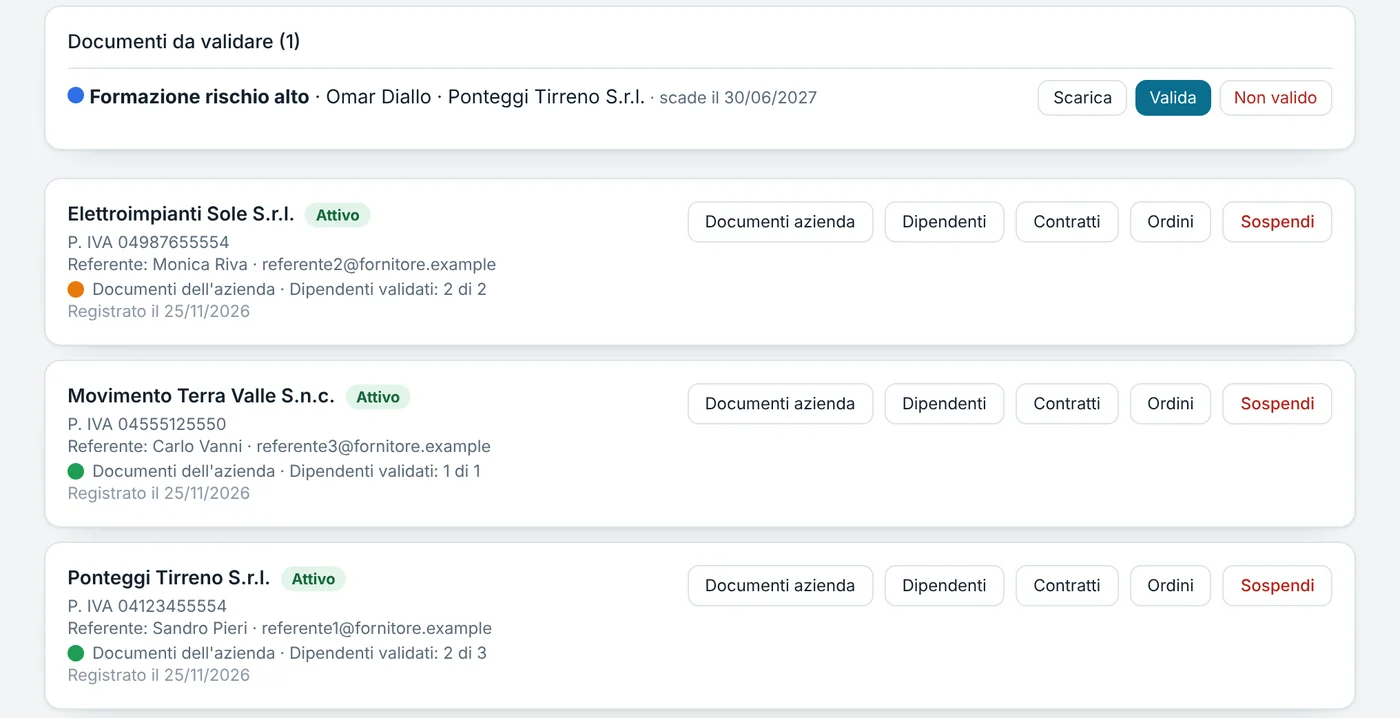
For the office, everything on one screen.
- The list of suppliers, with those awaiting approval at the top
- For each supplier, the status of the company's documents and the number of validated workers
- The queue of documents to validate from all suppliers
- Validation or rejection with the reason, communicated to the supplier by email
- Suspending and reactivating an account, with the reason
- Encrypted passwords and access blocked after five failed attempts
See CoreJob at work.
Explore the demo with the data of a sample company, or book a presentation built around your own business.