CoreBill
Electronic invoicing, from quote to payment.
CoreBill prepares invoices, quotes, orders and delivery notes, sends them through the Sistema di Interscambio (SdI), Italy's e-invoicing exchange system, receives supplier invoices and follows payments all the way to the bank. It can be used on its own, with an account for each company, or inside CoreJob.
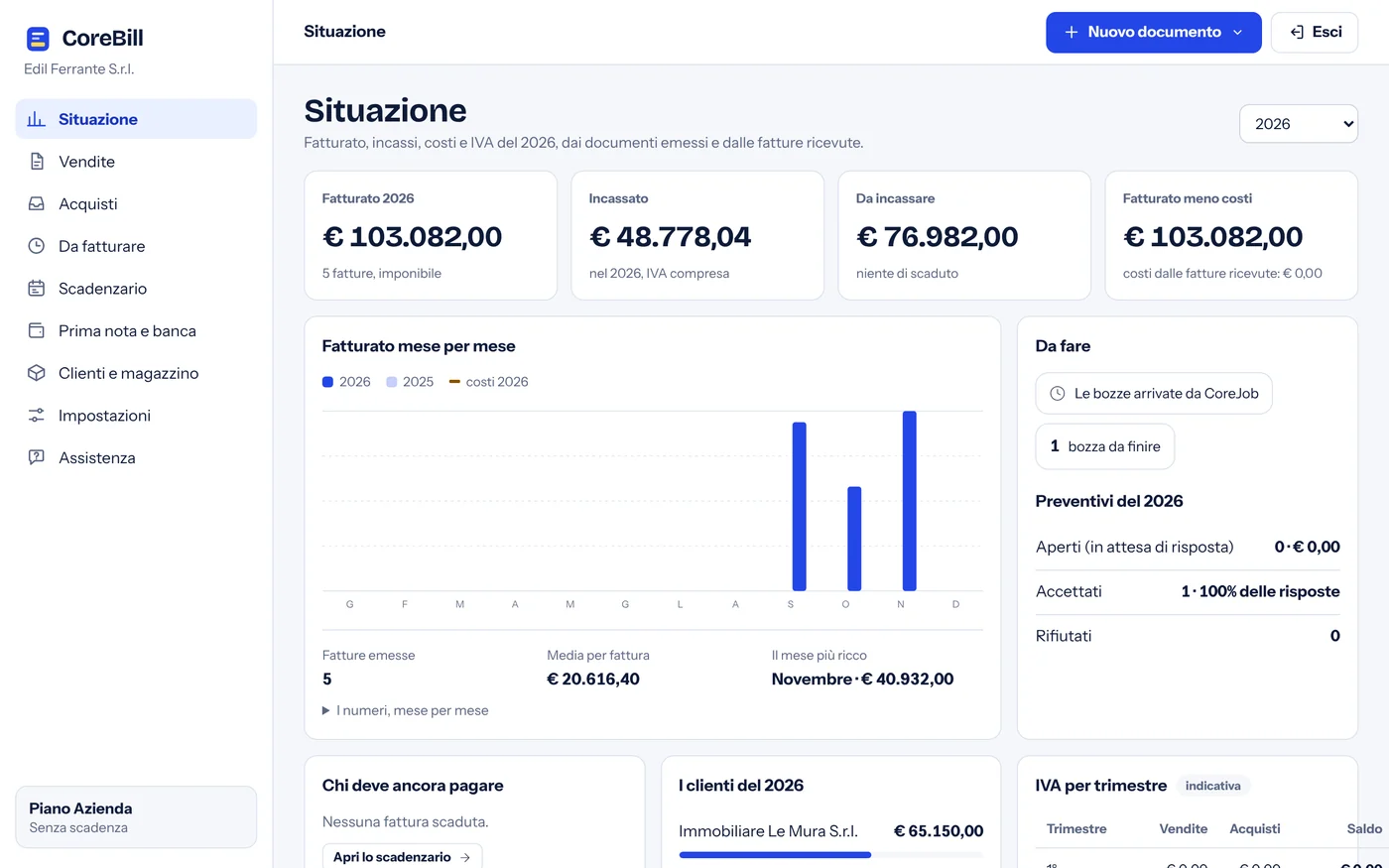
Every sales document.
Each document starts from the same customer data and turns into the next one: from quote to order, from order to invoice.
Invoices and notes
Invoices, simplified invoices, credit and debit notes, with the numbering and the legal wording in the right place.
Quotes and orders
Quotes to have signed remotely with CoreDocs, customer orders, pro formas and delivery notes.
Advances and balances
The advance invoice and the balance invoice that deducts on its own what has already been invoiced.
Recurring documents
Fees and contracts that are issued again on their own, every month or whenever you decide.
Customers abroad
Invoices in English and in other currencies, with the exchange rate shown on the document.
Your look
Template, colours, logo and texts of the documents; attachments also travel inside the electronic invoice.
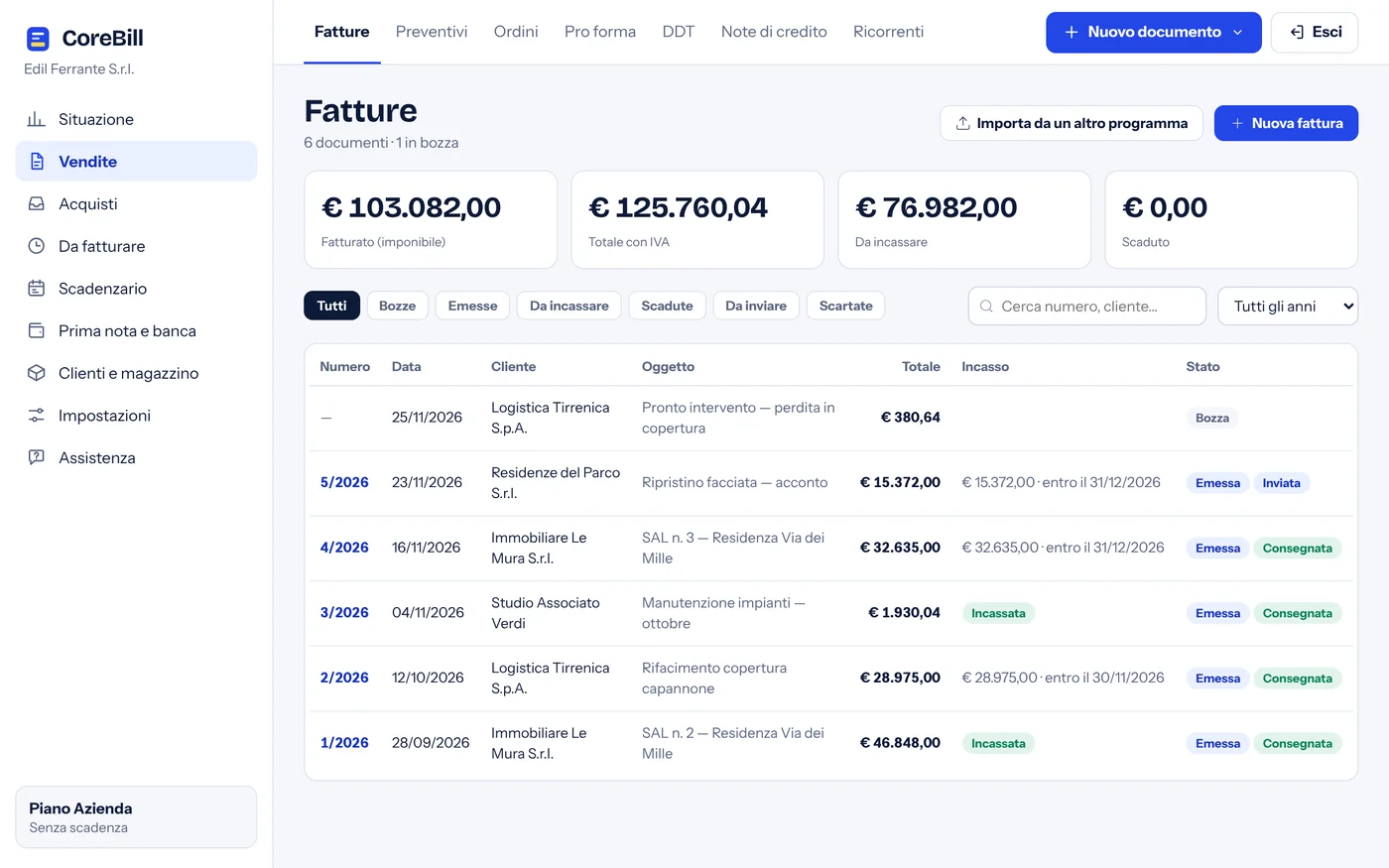
Invoices go out and come in on their own.
Electronic invoicing is switched on with a button, with no keys to type: CoreBill sends invoices through an intermediary and shows the status of each one, from delivery to rejection with the reason.
- Supplier invoices arrive on their own among the purchases, with the lines, VAT and due dates read from the file
- Self-invoices and integrations for purchases from abroad (TD16–TD19)
- Invoices issued with another program are imported from their XML files
- An alert when an invoice is rejected or cannot be delivered
Payments, bank and cash book.
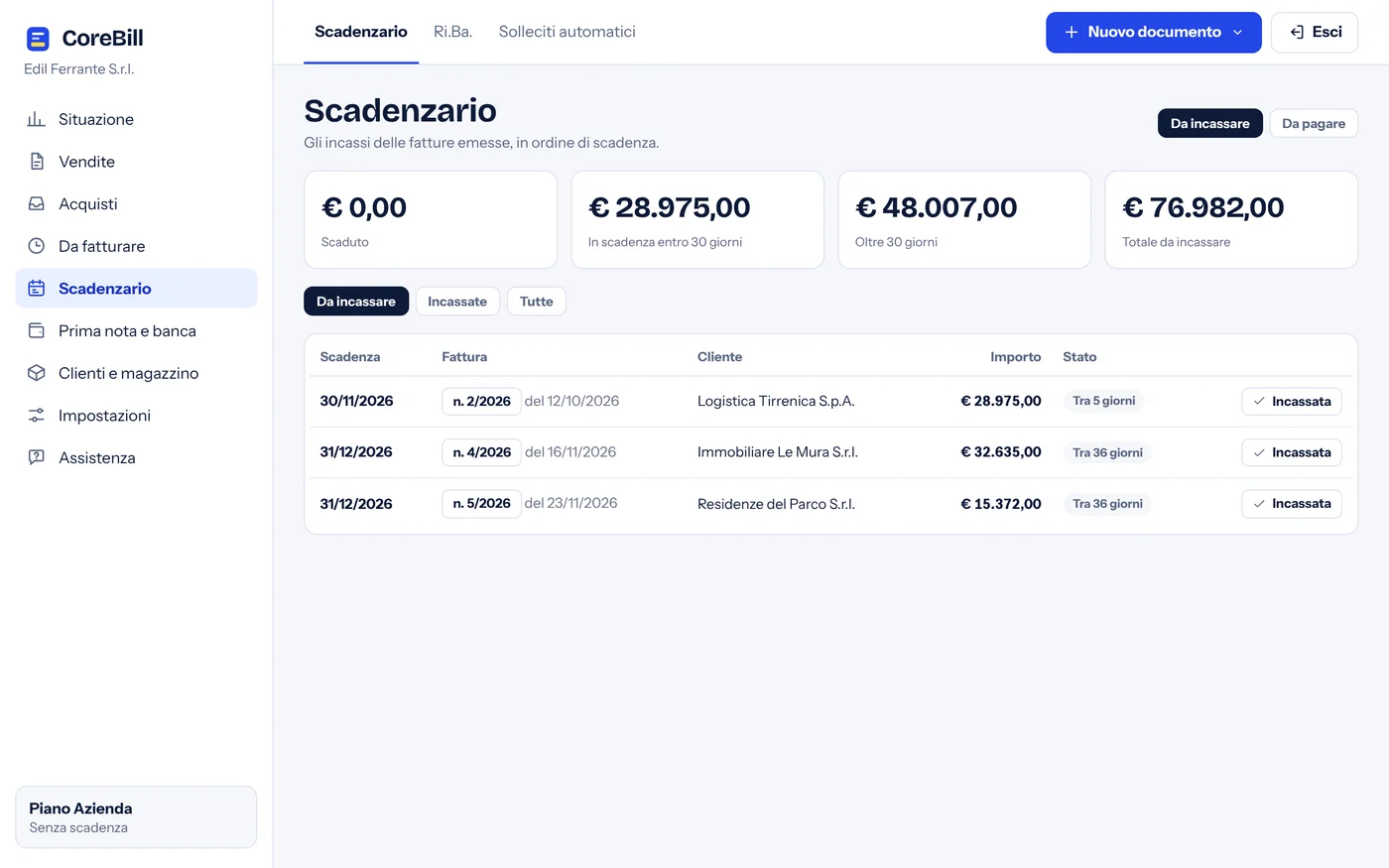
Schedule and reminders
Who has to pay and when; the reminder before the due date and the follow-ups after it go out on their own.
Bank statement
Upload the bank statement and match its movements to invoices and expenses.
Ri.Ba.
Due dates to present to the bank become a Ri.Ba. collection batch, with each customer's bank.
Cash book
Income and outgoings from bank, cash and cards, with the expenses and their attachments.
The tax cases that matter.
The situations that make an invoice complicated are already covered.
Withholding tax and pension fund
Withholding tax and the professional pension fund contribution, with default values for those who always apply them.
Declarations of intent
Declarations from customers who are habitual exporters, with the ceiling reduced at every invoice.
Flat-rate scheme
The legal wording of the Italian flat-rate scheme (regime forfettario) on invoices and an alert as you approach the revenue thresholds.
Payment terms
The most common terms ready to use, custom terms with instalments, and your own.
Company search
Type a customer's name or VAT number and their details fill themselves in.
Price lists per customer
Prices and discounts for each customer or group of customers, which go into the lines on their own.
Your accountant, connected.
The company invites its accounting firm, which has free, read-only access.
Read-only
Invoices issued and received, monthly, quarterly or yearly archives and the year's summary: the firm can see, but changes and sends nothing.
The firm's tools
VAT registers, VAT settlement, cash book and a screen with all the companies it looks after.
Requests and deadlines
The firm requests documents, sends deadlines with the F24 payment form and receives the replies; the company sees what the firm has opened and disconnects it whenever it wants.
An account for every company, with the data kept separate.
Guided sign-up
Whoever signs up chooses who the account is for and the type of business; the company details are filled in from the search, with the tax regime.
Several people, with permissions
The company's people sign in with their own credentials and see only what their permissions allow.
Two-step sign-in
After the password, a code by SMS; backup codes, and browsers remembered for thirty days.
Support from within
Requests to support are written from CoreBill and the replies are read on the same page.
Connected to CoreJob and the Core products.
CoreJob
Site hours and trip statements become draft invoices in CoreBill.
CoreDocs
Quotes go out for the customer's signature and come back accepted, with the signed PDF.
CoreCloud
Every document issued and every invoice received ends up in the archive, filed by year.
CoreMail
Documents and reminders go out from the company's mailbox.
Start for free.
Four plans, from the free Gratis plan to Azienda: they grow with the number of documents per month, the people and the space for attachments. Electronic invoicing is in all of them; the connections with CoreJob, CoreCloud, CoreDocs and CoreMail are part of the Azienda plan.
Inside CoreJob, invoicing has no plan limits.
- Gratis
- Base
- Pro
- AziendaWith connections to CoreJob, CoreCloud, CoreDocs and CoreMail
Electronic invoicing is included in every plan.
Try CoreBill.
Start with the free plan, or ask us for a presentation of CoreBill together with CoreJob.