Security and privacy
Your company's data, safe in your own installation.
CoreJob is installed for each company, with its own address and its own database. Access is separated by role, sessions expire, every intervention is logged and artificial intelligence works only within the limits you decide.
One installation per company.
Dedicated server and database
On your own server or on one we manage, at your address: no data is shared with other customers.
Encrypted connection
The system is reached at your address over HTTPS, from computers, tablets and smartphones.
Updates
Updates change the software and leave databases and documents untouched.
Backup
A full backup that can be downloaded as a file and, with CoreCloud, automatic copies off the server, with an integrity check.
Tracked interventions
Updates and remote support are recorded in a log the company can consult.
Confirmations and history
Important deletions ask for confirmation; the hours of deleted employees stay in the monthly summaries.
Everyone sees only what concerns them.
Role-based access
Administration, office, project managers, employees and suppliers have separate credentials and views.
Management accounts
Administration and office sign in with their own account; the browser keeps only a session that expires, never the password.
Employee access
A personal PIN, temporary at first sign-in; temporary lockout after repeated failed attempts; recovery with a code by email.
Suppliers
Each company has its own access, with an encrypted password and lockout after five failed attempts.
Restricted configuration
The advanced configuration, divided into sections, is reserved for the administration; the office can enter it only with a separate password.
Personal documents
In the app, each employee sees only their own documents and their own payslip.
The assistant works within the limits you decide.
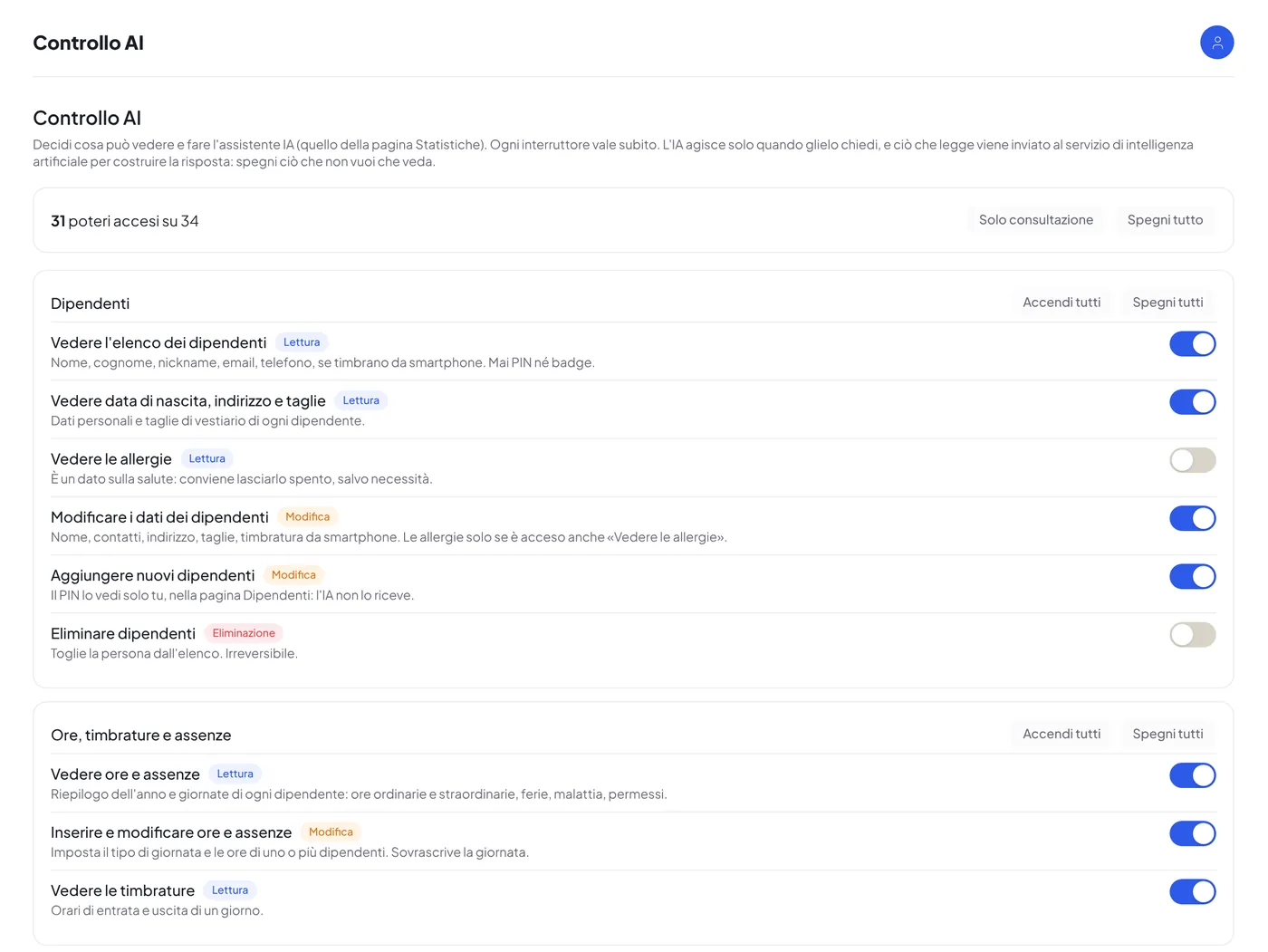
In “AI control” every power of the assistant has its own switch: reading, editing and deleting are separate and grouped together. With “View only” the assistant looks, but changes nothing.
- PINs and passwords, advanced settings, face data, badge codes, file contents and backups always stay out of its reach
- Every operation is logged with the request that triggered it and the outcome; changes to permissions are recorded too
- Requests are processed by Anthropic's models, with only the data that the powers switched on allow it to read
- The support chat receives only the question, the page you are writing from and the software version
Personal data handled with restraint.
Face recognition
Each employee registers their face once; the system keeps only the numerical data needed for matching, not the photos.
Position only when clocking in
With location turned on, the smartphone sends its position at the moment of clocking in: no tracking during the day.
Data protection roles
The company that uses CoreJob is the controller of the data it enters about employees, customers and suppliers, and decides which features to switch on.
Only the features you need
Features that are switched off do not appear in the menus: without location, for example, the position is never read.
Two-step verification in the Core products.
CoreBill, CoreCloud, CoreDocs and CoreMail protect sign-in with a second step.
- After the password, a code by SMS to your mobile phone
- Backup codes to sign in even without the phone
- Trusted browsers and devices remembered for thirty days
See CoreJob at work.
Explore the demo with the data of a sample company, or book a presentation built around your own business.