CoreDocs
Send a PDF. Get it back signed.
CoreDocs collects signatures remotely on contracts, service reports and forms. Signers do not need to install anything: the link they receive by email is enough. Before signing, the document is prepared here: written, even with artificial intelligence, and edited.
Four steps, from PDF to signed document.
- Upload the PDFThe document to be signed, as it is.
- Add the signersName and email; for a strong signature, the mobile number too.
- Show where to signDrag the signature boxes to the right place on each page.
- Receive the signed documentWith the final page of signatures and the log of every step.
Choose how secure each signature must be.
For each request you choose the level: from a personal link by email up to a code sent by SMS.
| Simple | Secure | Strong | |
|---|---|---|---|
| Personal link by email | Yes | Yes | Yes |
| Sign-in with your own account | No | Yes | Yes |
| Code by SMS to the mobile phone | No | No | Yes |
| Log of openings and signatures in the final PDF | Yes | Yes | Yes |
Everything PDFs need, without other software.
The result is downloaded, sent for signature or saved to CoreCloud.
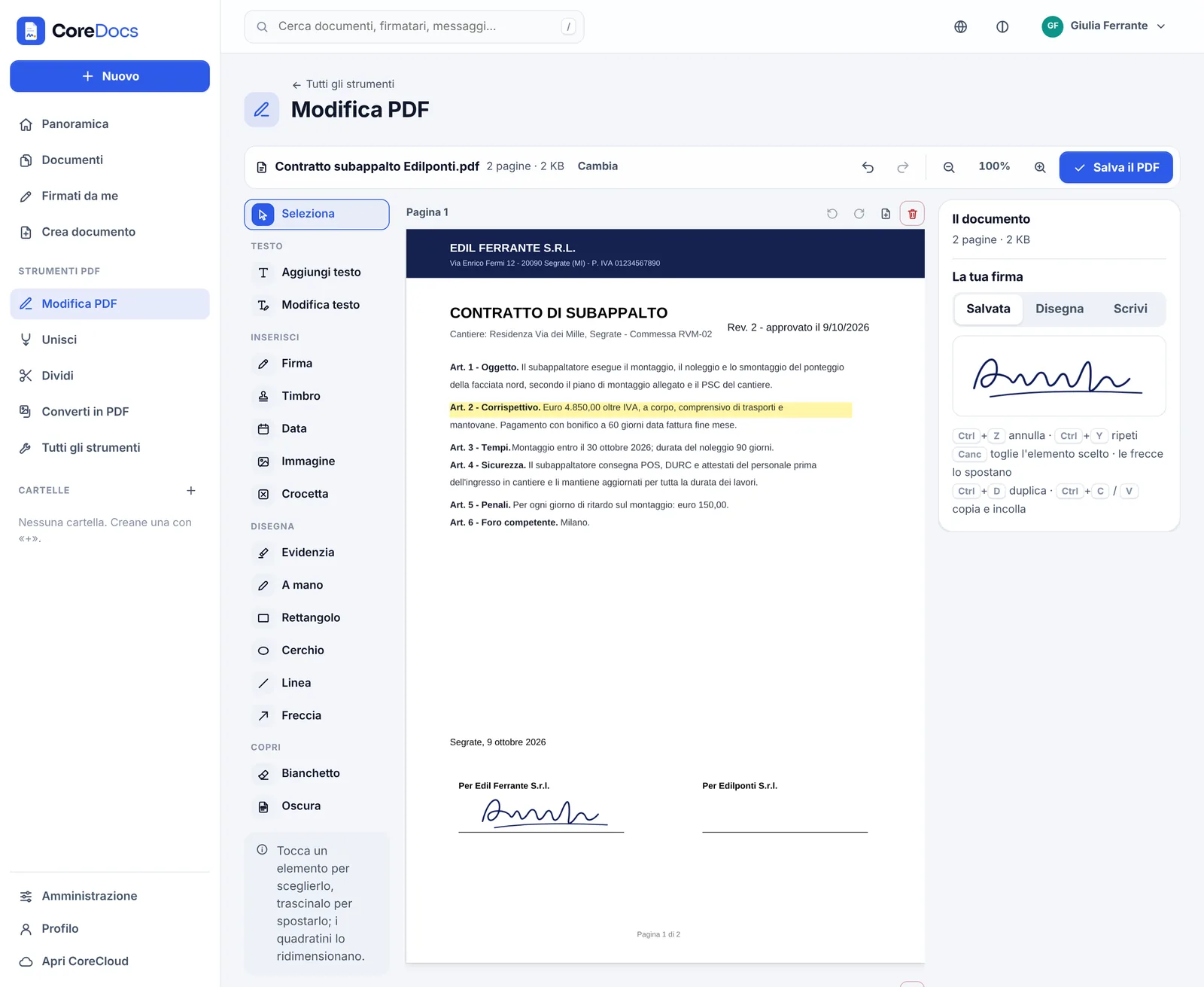
Edit PDF
New text or text in place of the existing one, images, signature and stamp, shapes, highlighter, true redaction and form filling.
Freehand drawing
Pen, pressure-sensitive stylus, highlighter, shapes and eraser, with the “Pen only” mode for tablets.
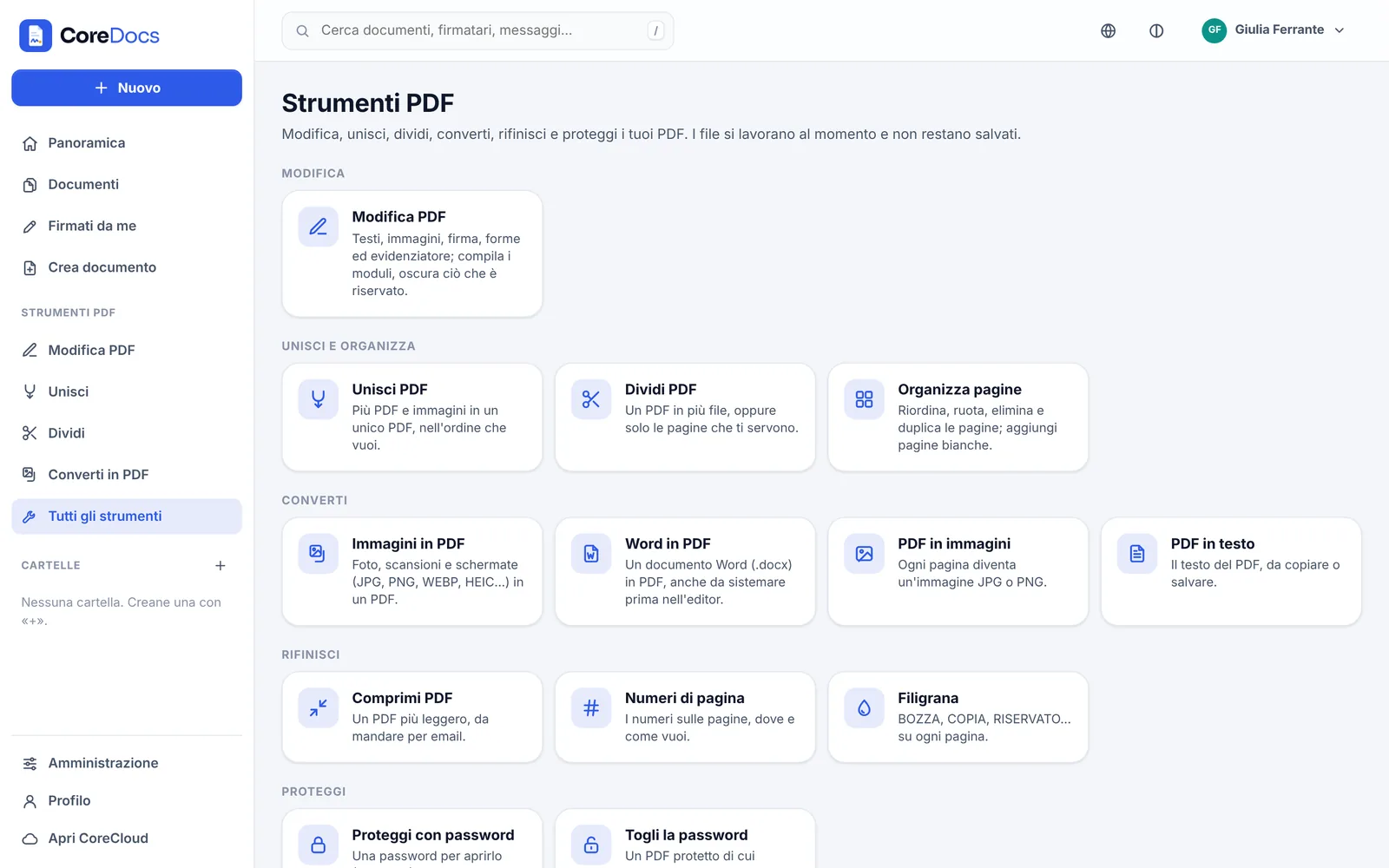
Merge, split, organise
Several PDFs and images into one, a PDF into several parts, pages reordered by dragging.
Convert
Images to PDF, PDF to images or text, Word to PDF.
Compress, number, watermark
Lighter PDFs, page numbers and watermarks, with a preview.
Protect with password
AES-256 encryption and permissions for printing, copying and editing.
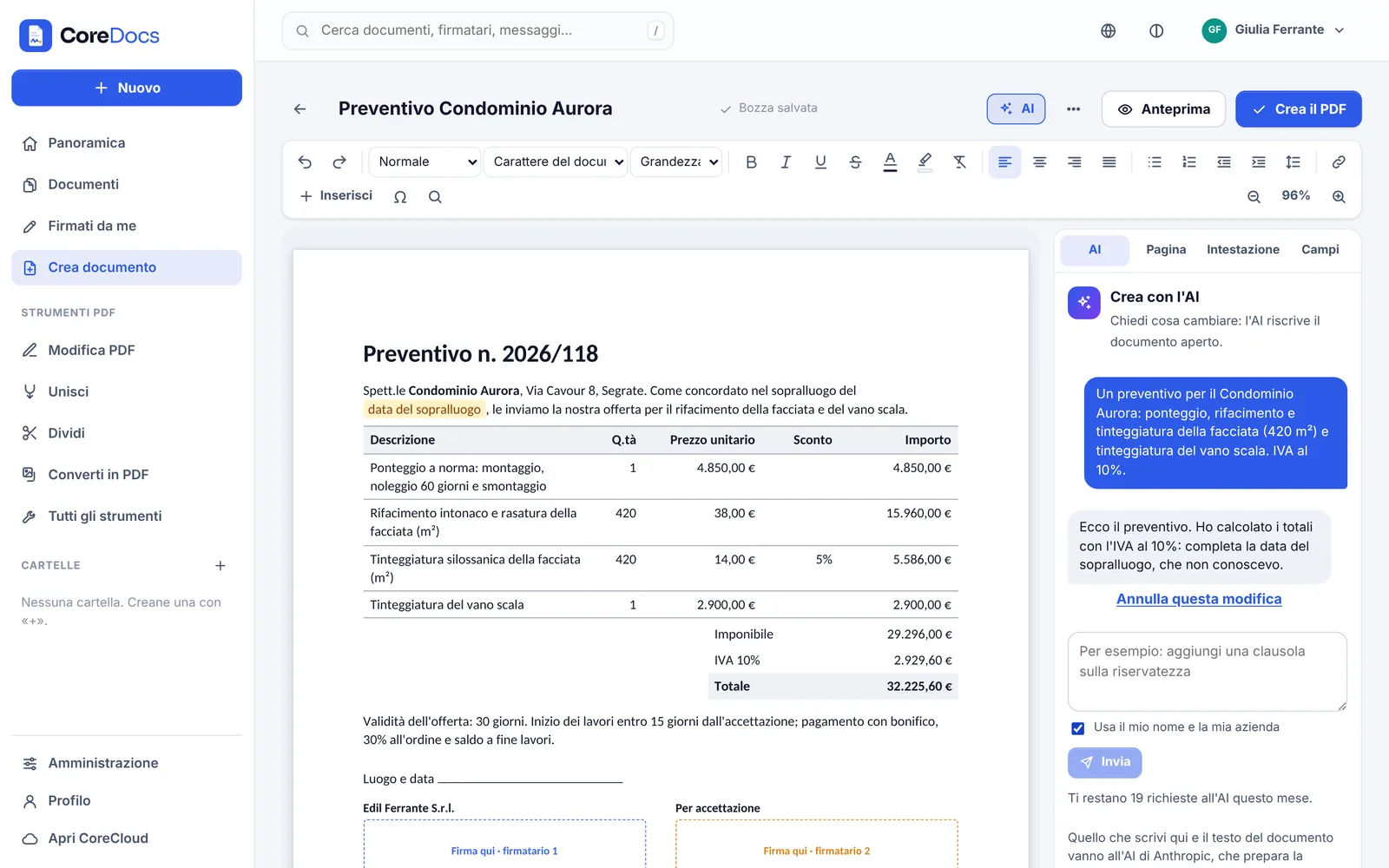
Create document
The document to be signed, written here. Even with artificial intelligence.
An editor that lays out the page like the final PDF: letters, quotes, contracts and minutes ready for signature, with templates, saved drafts and “Sign here” boxes that become the fields of the request.
- “Create with AI”: describe the document and the assistant prepares it on the page, with the quote totals already worked out
- Missing details become fields to fill in, and every step can be undone
- The administrator turns the feature on; the AI receives only the request and the open document
Signed files, CAD drawings and 3D models.
.p7m files
“Open signed file” shows the document inside, who signed it, the certificate, the timestamp and whether the file is intact; electronic invoices read like an invoice.
3D models and CAD drawings
A viewer for three-dimensional models and technical drawings, in the browser and in the desktop app.
Desktop app
For Windows and Mac: a Home with the features on the left, the documents to sign and recent files, and several PDFs open together in side-by-side tabs.
Three languages
Pages, emails and PDFs in Italian, English and Spanish: every signer receives their own language.
Signatures start where documents are created.
CoreJob, CoreBill and CoreMail send CoreDocs the documents to be signed and get the signed ones back.
- Service reports signed remotely by the customer, even on the client's own form
- Supplier contracts signed online from the portal, with “Sign now”
- CoreBill quotes signed by the customer, which become “accepted”
- PDF attachments received in CoreMail, signed and sent back with “Sign and reply”
- Signed documents copied to CoreCloud, filed by date
Collect your next signature with CoreDocs.
We show you CoreDocs on your own documents, on its own or connected to CoreJob, CoreBill and CoreMail.